Loading manual…
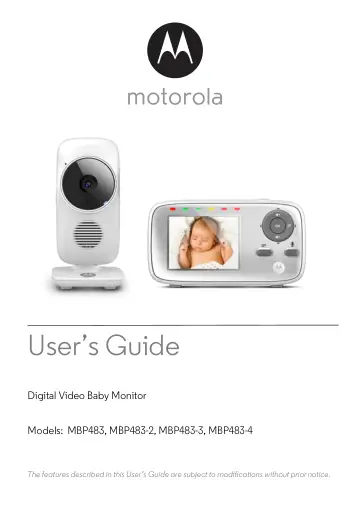
Motorola Digital Video Baby Monitor (MBP483) user manual
- Type
- User manual
- Language
- English
- Pages
- 31
- Category
- Baby care
- Models
- MBP483
Open PDFOpens the file on objects.icecat.biz.
Contents
- 1. Safety Instructionsp. 7
WARNING: Strangulation Hazard: Children have STRANGLED in cords. Keep this cord out of the reach of children (more than 3ft away). Do not remove this tag.…
- 2. Getting Startedp. 10
2.1 Baby Unit Power Supply 1. Insert the DC plug of the power adapter into the DC socket on the back of the Baby Unit. 2. Connect the other end of the power…
- 2.1 Baby Unit Power Supplyp. 10
1. Insert the DC plug of the power adapter into the DC socket on the back of the Baby Unit. 2. Connect the other end of the power adapter to a suitable…
- 2.2 Parent Unit Battery Installationp. 11
A rechargeable battery pack is supplied and should be installed and charged, so that the Parent Unit can be moved without losing the link and picture from the…
- 2.3 Parent Unit Power Supplyp. 12
- 2.4 Desktop Stand of the Parent Unitp. 13
Flip the stand on the back of the Parent Unit to set up the desktop stand.
- 3. Using the Baby Monitorp. 14
Please read these instructions carefully, and be aware that this baby monitor is only intended as an aid. It is not a substitute for responsible adult…
- 3.1 Setting Upp. 14
Make sure that the Baby Unit and Parent Unit are both switched on. • Place the Baby Unit in a convenient location (e.g. on a table) and point the camera lens…
- 3.2 Power On or Off the Baby Unitp. 14
Slide the ON/OFF switch to the On position to turn on the Baby Unit. The Power/Link indicator lights up in green. Slide the Power ON/OFF switch to the Off…
- 3.3 Power On or Off the Parent Unitp. 14
Press and hold to turn on the Parent Unit. The Power/Link indicator lights up in green. Press and hold to turn off the Parent Unit. The Power/Link indicator…
- 3.4 Night Vision Modep. 15
The Baby Unit has 6 high-intensity infrared LEDs for picking up clear images in the dark. When the built-in photo sensor on the top of the unit detects a low…
- 3.5 Turn off Parent Unit LCD Screenp. 15
You can turn off the Parent Unit screen without switching off the Parent Unit. When the screen is turned off, you can still hear sound from the Baby Unit.…
- 4. Parent Unit Menu Optionsp. 16
4.1 Adjust Speaker Volume You can adjust the speaker volume from Volume 1 to Volume 5, or turn it off. Press + or - on the Parent Unit when it is in camera…
- 4.1 Adjust Speaker Volumep. 16
You can adjust the speaker volume from Volume 1 to Volume 5, or turn it off. Press + or - on the Parent Unit when it is in camera viewing mode. When the…
- 4.2 LCD Brightnessp. 16
You can adjust the brightness of the Parent Unit screen from Level 1 to Level 5. 1. Press M when the Parent Unit is in camera viewing mode. is displayed. 2.…
- 4.3 Set Alarm Time on the Parent Unitp. 16
You can use the Parent Unit to set the alarm as a reminder for you to take care of your baby. If an alarm time is selected, the Parent Unit will beep at the…
- 4.3.1 Set lullabyp. 17
You can to play lullabies on the Baby Unit to comfort your baby. 1. Press M when the Parent Unit is in camera viewing mode. 2. Press < or to scroll to . 3.…
- 4.4 Monitor the Temperaturep. 17
Your Baby Unit measures the surrounding temperature. If the detected temperature goes beyond a desired temperature range, you will hear an alert tone. You can…
- 4.4.1 Temperature Formatp. 17
You can choose to display the temperature in °F or °C. 1. Press M when the Parent Unit is in camera viewing mode. 2. Press < or to scroll to . 3. Press or to…
- 4.4.2 Temperature Rangep. 17
You can set the maximum and minimum values for the temperature, so that when the room temperature goes beyond the temperature range, you will receive an alert.…
- 4.4.3 Temperature Alertp. 18
You can set whether to receive an alert when the room temperature goes beyond the temperature range. 1. Press M when the Parent Unit is in camera viewing mode.…
- 4.5 Remove a Baby Unitp. 18
1. Press M when the Parent Unit is in camera viewing mode. 2. Press < or to scroll to . 3. Press or to select the desired Baby Unit (1, 2, 3 or 4). 4. Press O…
- 4.6 Set Screen Off time for the Parent Unitp. 18
You can set the screen off time for the Parent Unit after it is in idle mode for a specific time interval. 1. Press M when the Parent Unit is in camera viewing…
- 4.7 Zoom, Pan or Tiltp. 18
You can zoom in or out while viewing the image from Baby Unit. 1. Press to zoom in. 2. Press and hold <, , or to move the zoomed image left, right, up or down…
- 4.8 Pair and Replace a Baby Unitp. 19
The Baby Units and Parent Unit provided are already paired. You can add or replace a Baby Unit in your video and audio monitoring system. You can pair a…
- 4.9 Multi-Camera Usep. 19
You can pair up to 4 cameras with the Parent Unit. If more than one camera is paired with the Parent Unit, you can select which camera to view or set it in…
- 5. Disposal of the Device (environment)p. 20
At the end of the product’s life cycle, you should not dispose of this product with normal household waste. Take this product to a collection point for the…
- 6. Cleaningp. 21
Clean your Baby Monitor with a slightly damp or anti-static cloth. Never use cleaning agents or abrasive solvents. Cleaning and care • Do not clean any part of…
- 7. Troubleshootingp. 22
Power/Link Indicator on the Parent Unit does not come on • Check whether the Parent Unit is powered on. • Check whether the supplied battery pack is correctly…
- 8. General Informationp. 24
lf your product is not working properly.... 1. Read this User’s Guide or the Quick Start Guide. 2. Visit our website: www.motorolahome.com/support 3. Contact…