Loading manual…
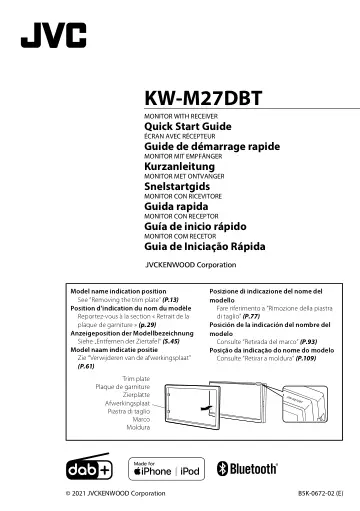
JVC KW-M27DBT quick start guide
- Type
- Quick start guide
- Languages
- English, French
- Pages
- 116
- Category
- Home cinema
- Models
- KW-M27DBT
Open PDFOpens the file on objects.icecat.biz.
Contents
- Before usep. 2
- Getting Startedp. 3
Turn the ignition key of your car to ACC. The unit is turned on. 2 Press the < > button. 3 Touch [ ]. 4 Touch the corresponding key and set the value. [System]…
- Basicsp. 4
Functions of the Buttons on the Front Panel 1 2 3 4 5 6 1 Remote Sensor • Receives the remote control signal. 2 (HOME) • Displays the HOME screen. (P.4) •…
- Digital Radiop. 5
Basic Operation 1 Press the < > button. 2 Touch [Digital Radio]. Ñ Ñ Source control screen 2 1 3 1 Displays the information of the current service: Service…
- Tunerp. 6
Basic Operation 1 Press the < > button. 2 Touch [Tuner]. Ñ Ñ Source control screen 2 1 3 1 Displays the information of the current station: PS name, Frequency…
- USBp. 7
Preparation Ñ Ñ Connecting a USB device 1 Remove the cap of the USB terminal. 2 Connect the USB device with the USB cable. The unit reads the device and…
- iPod/iPhonep. 8
Preparation Ñ Ñ Connecting iPod/iPhone • For Lightning connector models: Use USB Audio cable for iPod/iPhone—KS-U62 (optional accessory). • For details about…
- External Componentsp. 9
Using external audio/video players Ñ Ñ Starting playback 1 Connect an external component to the AV-IN input terminal. (P.14) 2 Press the < > button. 3 Touch…
- Controlling Audiop. 9
- Bluetoothp. 10
Register your smartphone to the unit You can use your Bluetooth smartphone when paired to this unit. 1 Turn on the Bluetooth function on your…
- Installationp. 11
Before installation of this unit, please note the following precautions. #WARNINGS • If you connect the ignition wire (red) and the battery wire (yellow) to…
- About this Unitp. 16
More information Ñ Ñ Usable USB device This unit can play MPEG1/ MPEG2/ MPEG4/ H.264/ MKV/ MP3/WMA/ AAC/ WAV/ FLAC/ OGG files stored in a USB mass storage…
- Avant l'utilisationp. 18
- Mise en routep. 19
Tournez la clé de contact de votre véhicule sur la position ACC. L'appareil se met en marche. 2 Appuyez sur le bouton < >. 3 Touchez [ ]. 4 Effleurez la touche…
- Les basesp. 20
Fonctions des boutons en façade 1 2 3 4 5 6 1 Capteur à distance • Reçoit le signal de la télécommande. 2 (HOME) • Affiche l'écran d'ACCUEIL. (p.20) • Appuyez…
- Radio numériquep. 21
Utilisation de base de la radio numérique 1 Appuyez sur le bouton < >. 2 Touchez [Digital Radio]. Ñ Ñ Écran de commande de source 2 1 3 1 Affiche les…
- Tunerp. 22
Utilisation de base de la radio 1 Appuyez sur le bouton < >. 2 Touchez [Tuner]. Ñ Ñ Écran de commande de source 2 1 3 1 Affiche les informations concernant la…
- USBp. 23
Préparation Ñ Ñ Connecter un périphérique USB 1 Retirer le capuchon de la borne USB. 2 Branchez le périphérique USB avec le câble USB. L'appareil lit le…
- iPod/iPhonep. 24
Préparation Ñ Ñ Connexion d'un iPod/iPhone • Pour les modèles de paratonnerre : Utilisez le câble Audio USB pour iPod/iPhone—KS-U62 (accessoire optionnel). •…
- Composants Externesp. 25
Utilisant des lecteurs audio/vidéo externes Ñ Ñ Démarrer la lecture 1 Connecter un composant externe à la borne d'entrée AV-IN. (p.30) 2 Appuyez sur le bouton…
- Contrôle de l'audiop. 25
- Bluetoothp. 26
Enregistrer votre smartphone dans l'appareil Vous pouvez utiliser votre smartphone Bluetooth lié à cet appareil. 1 Activer la fonction Bluetooth sur votre…
- Installationp. 27
Avant d'installer cet appareil, veuillez prendre les mesures de précaution suivantes. #AVERTISSEMENTS • Si vous branchez le câble d'allumage (rouge) et le…
- À propos de cet appareilp. 32
- Vor Verwendungp. 34
- Erste Schrittep. 35
Stellen Sie den Zündschlüssel Ihres Autos auf "ACC". Das Gerät ist eingeschaltet. 2 Drücken Sie die < >-Taste. 3 Berühren Sie [ ]. 4 Drücken Sie den…
- Grundlagenp. 36
- Digitalradiop. 37
Grundfunktionen des Digitalradios 1 Drücken Sie die < >-Taste. 2 Berühren Sie [Digital Radio]. Ñ Ñ Quellensteuerungsbildschirm 2 1 3 1 Zeigt die Informationen…
- TUNERp. 38
Grundfunktionen 1 Drücken Sie die < >-Taste. 2 Berühren Sie [Tuner]. Ñ Ñ Quellensteuerungsbildschirm 2 1 3 1 Zeigt die Information zum aktuellen Sender an…
- USBp. 39
Vorbereitung Ñ Ñ Anschluss eines USB-Geräts 1 Nehmen Sie den Deckel des USB-Anschlusses ab. 2 USB-Gerät und USB-Kabel verbinden. Das Gerät liest das Gerät und…