Loading manual…
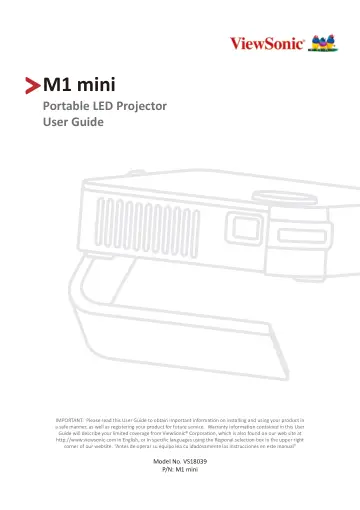
ViewSonic M1 mini user manual
Open PDFOpens the file on objects.icecat.biz.
Contents
- Safety Precautionsp. 3
Please read the following Safety Precautions before you start using the projector. • Keep this user guide in a safe place for later reference. • Read all…
- Introductionp. 8
This Lamp Free Pocket Cinema provides users with high-performance LED projection and a user-friendly design to deliver high reliability and ease of use. NOTE…
- Featuresp. 8
may not be available on your projector. Actual performance may vary and subject to model specifications. Features • Short throw lens design allows for a…
- Product Overviewp. 10
Projector HDMI 1. In the event of a system crash, use the Reset Button to restart the projector. Focus Ring Power Switch IR Receiver LED Indicator IR Receiver…
- Initial Setupp. 13
This section provides detailed instructions for the initial set up your projector
- Choosing a Location - Projection Orientationp. 13
Personal preference and room layout will decide the installation location. Consider the following: • Size and position of your screen. • Location of a suitable…
- Projection Dimensionsp. 14
16:9 Image on a 16:9 Screen NOTE: (e) = Screen / (f) = Center of Lens 16:9 Image on a 16:9 Screen (a) Screen Size (b) Projection Distance (c) Image Height…
- Top Plate Removal/Installationp. 15
The M1 mini comes with different color top plates. 1 2 To change the top plate: 1. Remove the top plate by carefully prying up one corner and lifting the top…
- Making Connectionsp. 16
This section guides you on how to connect the projector with other equipment
- Connecting to Powerp. 16
1. Connect the USB cord to the Micro USB Port on the side of the projector. 2. Plug the other end of the USB cord into a power bank, smartphone adapter, or PC…
- Using the Batteryp. 17
The battery level icon will show at the top right of the Home Screen. As the battery’s power level runs low, the screen will show a “low battery message”.…
- Connecting to External Devicesp. 18
HDMI Connection Connect one end of an HDMI cable to the HDMI port of your video device. Then connect the other end of the cable to the HDMI port (supports HDCP…
- Using the Projectorp. 19
Starting Up the Projector 1. Ensure the projector is connected to a power source or that the battery has sufficient charge. 2. Push the Power Switch to turn on…
- Starting Up the Projectorp. 19
1. Ensure the projector is connected to a power source or that the battery has sufficient charge. 2. Push the Power Switch to turn on the projector.…
- Adjusting the Projected Imagep. 20
Adjusting the Projector's Height and Projection Angle The projector is equipped with one (1) Smart Stand. Adjusting the stand will change the projector’s…
- Shutting Down the Projectorp. 22
1. Push the Power Switch on the projector or the Power button on the remote control and the following confirmation message will appear: Photo Music Movie HDMI…
- Operating the Projectorp. 23
This section will introduce the
- Home Screenp. 23
and its menus. Home Screen The Home Screen is displayed every time you start the projector. To navigate the Home Screen, simply use the directional buttons on…
- Menu Operationsp. 24
Photo View and display image files on your USB flash drive. 1. Using the directional buttons on the remote control select Photo, and press OK. Photo Music…
- Settings - On-Screen Display (OSD) Treep. 33
Main Menu Sub-menu Menu Option Image Setting Picture Mode Brightest TV Movie User Brightness (-/+, 0~100) Contrast (-/+, 0~100) Sharpness (-/+, 0~100)…
- Appendixp. 42
Specifications Item Category Specifications Projector Type 0.2” WVGA, LED Display Size 24”~100” Brightness 120 LED Lumens Throw Distance 0.64-2.66 m (39”@1 m)…
- Specificationsp. 42
Item Category Specifications Projector Type 0.2” WVGA, LED Display Size 24”~100” Brightness 120 LED Lumens Throw Distance 0.64-2.66 m (39”@1 m) Lens F=1.7…
- Timing Chartp. 43
HDMI Video Timing Timing Resolution Horizontal Frequency (kHz) Vertical Frequency (Hz) Dot Clock Frequency (MHz) 480i 720(1440) x 480 15.73 59.94 27 480p 720 x…
- LED Indicatorsp. 45
Light Description Blue Power On Red Stand-by Mode Red Projector Charging Red to Off Battery is Fully Charged
- Glossaryp. 46
This section describes the standard glossary of terms used in all projector models. All terms are listed in alphabetical order. NOTE: Some terms may not be…
- Troubleshootingp. 48
This section describes some common problems that you may experience when using the projector. Problem or Issue Possible Solutions The projector does not turn…
- Maintenancep. 50
General Precautions • Make sure the projector is turned off and the power cable is unplugged from the power outlet. • Never remove any parts from the…
- Regulatory and Service Informationp. 51
Compliance Information This section addresses all connected requirements and statements regarding regulations. Confirmed corresponding applications shall refer…
- Compliance Informationp. 51
This section addresses all connected requirements and statements regarding regulations. Confirmed corresponding applications shall refer to nameplate labels…
- Copyright Informationp. 56
Copyright© ViewSonic® Corporation, 2021. All rights reserved. Macintosh and Power Macintosh are registered trademarks of Apple Inc. Microsoft, Windows, and the…