Loading manual…
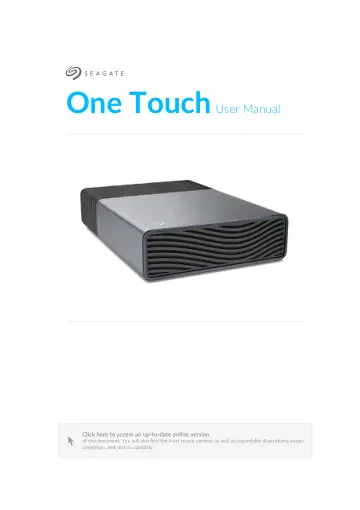
Seagate STNB8000400 user manual
- Type
- User manual
- Language
- English
- Pages
- 19
- Category
- Storage & drives
- Models
- STNB20000400STNB24000400STNB8000400
Open PDFOpens the file on objects.icecat.biz.
Contents
- Welcomep. 4
For common questions and answers about your hard drive, see Frequently Asked Questions or visit Seagate customer support. Box content Seagate One Touch USB-C…
- Minimum System Requirementsp. 4
Ports Use the included cable to connect your Seagate device to a computer with a USB-C port. The computer's USB-C port must provide a minimum 15 W to power the…
- Getting Startedp. 5
- Connect the USB cablep. 5
Use the USB-C cable to connect One Touch to a computer’s USB-C port. Once connected, it may take 30 seconds or more for the drive volume to appear and be…
- LED activityp. 5
- Set up One Touchp. 6
The Quick Start Guide in your package includes a QR code for fast, convenient registration using your mobile phone or tablet: Scan the code in the Quick Start…
- Power-saving modep. 8
One Touch can conserve energy by entering power-saving mode. Managed by your computer, powersaving mode can extend the life of the hard drive by sparing it…
- Use Toolkit to Set Up Backups and Morep. 9
Toolkit provides useful tools that let you easily set up backup plans, mirror folders and more
- Start a backup plan (Windows only)p. 9
Create a plan customised for the content, storage device, and schedule of your choosing. Click here for details on setting up a backup plan
- Set up a mirror folderp. 9
Create a Mirror folder on your PC or Mac that is synced to your storage device. Whenever you add, edit, or delete files in one folder, Toolkit automatically…
- Optional Formattingp. 10
- Choosing a file system formatp. 10
, consider whether compatibility or performance is more important in your everyday use of the drive. Compatibility — You need a cross-platform format because…
- Formatting instructionsp. 11
release of macOS High Sierra (version 10.13). APFS can only be read by Macs running High Sierra or later. When choosing between Apple file systems, consider…
- Safely Remove Device From Your Computerp. 12
Always eject a storage drive from your computer before physically disconnecting it. Your computer must perform filing and housekeeping operations on the drive…
- Windowsp. 12
Use the Safely Remove tool to eject a device. 1. Click the Safely Remove Hardware icon in your Windows System Tray to view the devices you can eject. 2. If you…
- Macp. 12
There are several ways you can eject your device from a Mac. See below for two options. Eject via Finder window 1. Open a Finder window. 2. On the sidebar, go…
- Frequently Asked Questionsp. 13
below. For additional support resources, go to Seagate customer support
- All usersp. 13
Problem: The device is unavailable Q: Is the LED flashing red? A: The device is unavailable because the host computer is not providing a minimum 15 W of power.…
- Windowsp. 14
users) or APFS or HFS+ (Mac users). See Optional Formatting. Q: Did you get an error message telling you that the drive has been disconnected when coming out…
- Macp. 15
Problem: The hard drive icon does not appear on my desktop Q: Is your Finder configured to hide hard drives on the desktop? A: Open a Finder window. In the…
- Regulatory Compliancep. 17
Equipment Name External Hard Drive Regulatory Model Number SRD0BP0
- FCC DECLARATION OF CONFORMANCEp. 17
This device complies with Part 15 of the FCC Rules. Operation is subject to the following two conditions: (1) this device may not cause harmful interference…
- R&TTE Directive "Informal DoC" statementp. 17
- For Australian Customers Onlyp. 17
Our goods come with guarantees that cannot be excluded under the Australian Consumer Law. You are 17 Regulatory Compliance 5/7/26
- China RoHSp. 18
refers to the Ministry of Industry and Information Technology Order No. 32, effective July 1, 2016, titled Management Methods for the Restriction of the Use of…
- Taiwan RoHSp. 18
refers to the Taiwan Bureau of Standards, Metrology and Inspection’s (BSMI’s) requirements in standard CNS 15663, Guidance to reduction of the restricted…
- VCCI-Bp. 19