Loading manual…
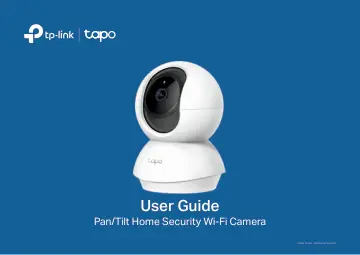
TP-Link Pan/Tilt Home Security Wi-Fi Camera (TAPO C200) user manual
- Type
- User manual
- Language
- English
- Pages
- 25
- Category
- Security cameras
- Models
- TAPO C200
Open PDFOpens the file on objects.icecat.biz.
Contents
- About This Guidep. 3
This guide provides a brief introduction to the Pan/Tilt Home Security Wi-Fi Camera and regulatory information. Please note that features available in Tapo may…
- Introductionp. 4
When you are away from home, there is always something you care about. This is where the smart camera functions. No matter whether your child is climbing the…
- Appearancep. 5
The Pan/Tilt Home Security Wi-Fi Camera has a system LED that changes color according to its status, a lens, microphone, speaker, DC power port, RESET button…
- Set Up Your Camerap. 6
Follow the steps below to get started with your new camera. Step 1. Download Tapo App Get the Tapo app from the App Store or Google Play, or by scanning the QR…
- Set Up Using Amazon Frustration-Free Setupp. 7
Note: Only TC70 (KR version excluded) supports Amazon Frustration-Free Setup. What is Amazon Frustration-Free Setup? Amazon Frustration-Free Setup can help…
- Install a microSD Cardp. 11
- Mount Your Camerap. 12
When you finish adding your camera in the Tapo app, you can set it on a flat surface such as a table or shelf. You can also mount it on a wall or ceiling with…
- Reset Your Camerap. 13
Follow the steps below to reset your camera via the Reset button, or you can follow the setup video at…
- Authenticationp. 14
FCC compliance information statement Product Name: Pan/Tilt Home Security Wi-Fi Camera Model Number: Tapo C200/TC70 Component Name Model AC ADAPTER T090060-2B1…