Loading manual…
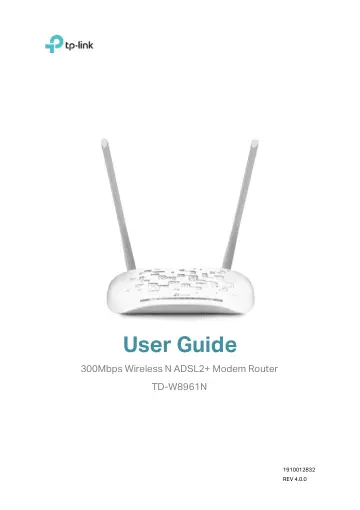
TP-Link 300Mbps Wireless N ADSL2+ Modem Router (TD-W8961N) user manual
Open PDFOpens the file on objects.icecat.biz.
Contents
- About This Guidep. 4
This guide is a complement to Quick Installation Guide. The Quick Installation Guide instructs you on quick Internet setup, and this guide provides details of…
- Chapter 1 Introductionp. 5
1.1 Product Overview TP-Link’s Modem Router is a combined wired/wireless network connection device with integrated wireless router and DSL modem, reducing…
- 1.1 Product Overviewp. 5
TP-Link’s Modem Router is a combined wired/wireless network connection device with integrated wireless router and DSL modem, reducing hassle of configuration…
- 1.2 Product Appearancep. 5
1.2.1 The Front Panel The modem router’s LEDs are located on the front panel (View from left to right). LED Explanation: Name Status Indication (Power) On…
- Chapter 2 Hardware Installationp. 8
2.1 Positioning the Modem Router With the modem router, you can access your network from anywhere within the wireless network coverage. However, the wireless…
- 2.1 Positioning the Modem Routerp. 8
With the modem router, you can access your network from anywhere within the wireless network coverage. However, the wireless signal strength and coverage vary…
- 2.2 Connecting the Modem Routerp. 9
Before installing the device, please make sure your broadband service provided by your ISP is available. If there is any problem, please contact your ISP.…
- Chapter 3 Quick Startp. 11
This chapter will show you how to configure the basic functions of your modem router using Quick Setup Wizard within minutes. 1. If the TCP/IP Protocol on your…
- Chapter 4 Software Configurationp. 15
This User Guide recommends using the Quick Installation Guide for first-time installation. For advanced users, if you want to know more about this device and…
- 4.1 Statusp. 15
Choose Status, and you will see the following submenus: Device Info, System Log and Statistics. Click any of them, and you can configure the corresponding…
- 4.2 Interface Setupp. 20
Choose Interface Setup, and you will see the following submenus: Internet, LAN, Wireless, 6RD, Guest Network. Click any of them, and you can configure the…
- 4.3 Advanced Setupp. 43
Choose Advanced Setup, and you will see the following submenus. Click any of them, and you can configure the corresponding function. 4.3.1 Firewall Go to…
- 4.4 Access Managementp. 54
Choose Access Management, and you will see the following submenus. Click any of them, and you can configure the corresponding function. 4.4.1 ACL Go to Access…
- 4.5 Maintenancep. 64
Choose Maintenance, and you will see the following submenus. Click any of them, and you can configure the corresponding function. 4.5.1 Administration Go to…
- 4.6 Helpp. 69
Choose Help, and you can view the help information for configuration of any function.
- Appendix A: Configuring the PCp. 71
We’ll introduce how to install and configure the TCP/IP correctly on your computer. First make sure your Ethernet Adapter is working, refer to the adapter’s…
- Appendix B: Troubleshootingp. 76
T1. What can I do if I don’t know or forget my password? 1) For default wireless password: Please refer to the Wireless Password/PIN labeled on the bottom of…
- OPERATING FREQUENCY(the maximum transmitted power)p. 83
2400 MHz -2483.5 MHz(20dBm) RF Exposure Information This device meets the EU requirements (2014/53/EU Article 3.1a) on the limitation of exposure
- EU declaration of conformityp. 84
TP-Link hereby declares that the device is in compliance with the essential requirements and other relevant provisions of directives 2014/30/EU, 2014/35/EU…