Loading manual…
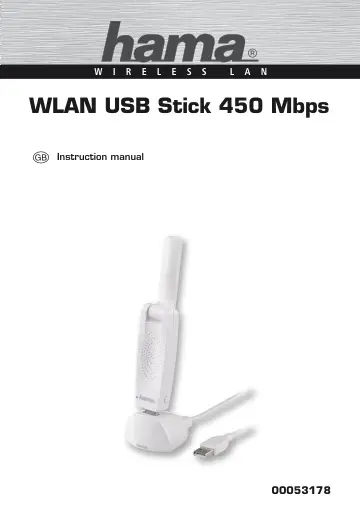
Hama WLAN USB Stick (00053178) user manual
- Type
- User manual
- Language
- English
- Pages
- 45
- Category
- PC components
- Models
- WLAN USB Stick
Open PDFOpens the file on objects.icecat.biz.
Contents
- Introductionp. 3
- Information on this user manualp. 3
This user manual forms an integral part of the WLAN USB stick and contains important information on the intended use, safety, connection of the device and the…
- Copyrightp. 3
This documentation and the enclosed software is protected by copyright. Any duplication or reprinting of this documentation, in whole or in part, and the…
- Warningsp. 4
The following warnings are used in this user manual: CAUTION A warning of this category indicates potential material damage. If the situation is not avoided…
- Intended usep. 4
This device is intended only for establishing a data connection from a computer with the help of the enclosed software via a WLAN (Wi-Fi network) using a WLAN…
- Liability disclaimerp. 4
All technical information, data and instructions on installation, operation of the device contained in this user manual represent the current status at the…
- Safety instructionsp. 5
When using the device, observe the following safety precautions to avoid any damage or injuries: •Do not allow children to play with the device. The device and…
- Disposalp. 5
CAUTION Do not dispose of the device as normal household waste. Pay attention to the disposal instructions in the user manual appendix. Recycling the packaging…
- Descriptionp. 6
00053178 g Description This device is a WLAN network adapter with high data transmission rate for use with the Universal Serial Bus (USB). The device allows…
- Scope of supplyp. 6
As standard, the device is supplied with the following components: •WLAN USB stick with protective cap •USB 2. 0 docking station •Driver/instructions CD-ROM…
- Device elementsp. 6
- Function LEDp. 7
The function LED installed in the device flashes when accessing the network
- Requirements for operationp. 7
The following requirements must be met for installation and operation of the device on your computer: •A free USB port on the computer. NOTE ►A USB 2. 0 port…
- Inserting the USB WLAN stickp. 8
Switch on your computer and insert the device into a free USB port or USB hub connected to the computer. CAUTION Do not use excessive force when inserting…
- Removing the USB WLAN stickp. 8
After shutting down the computer, pull the USB WLAN stick out of the USB port of the computer. CAUTION Possible data loss when writing to a network drive. If…
- Installation under Windowsp. 9
00053178 g Installation under Windows In order to install the WLAN USB stick onto your computer, the following steps must be performed in the specified order…
- Starting the configuration programmep. 17
The "Hama Wireless LAN Utility" configuration programme can be executed in a number of ways: •Start the programme via Start -> All Programs -> Hama Wireless…
- Deinstalling under Windows 8p. 37
00053178 g Deinstalling under Windows 8 To deinstall, proceed as follows: Press the Windows button + X. Click on "Programs and Features". Mark "Windows…
- Troubleshootingp. 38
00053178 g Troubleshooting The following table will help you locate and eliminate minor faults: Problem Possible cause Remedy After installation and restart…
- Appendixp. 40
- Technical datap. 40
- Support and contact informationp. 41
For defective products In the event of product complaints, please contact your retailer or Hama product support
- For defective productsp. 41
In the event of product complaints, please contact your retailer or Hama product support
- Internet/World Wide Webp. 41
Product support, new drivers or production information can be found at www. hama. com
- Support hotline – Hama product supportp. 41
Tel. +49 (0) 9091 / 502-115 Fax +49 (0) 9091 / 502-272 Email: produktberatung@hama. de Notes on the EC Declaration of Conformity Hama GmbH & Co. KG hereby…
- Operating restrictionsp. 41
If channel 36-64 (channels with frequencies 5150MHz - 5350MHz) or the 2. 4GHz range in France are used, the device may only be used in closed rooms.