Loading manual…
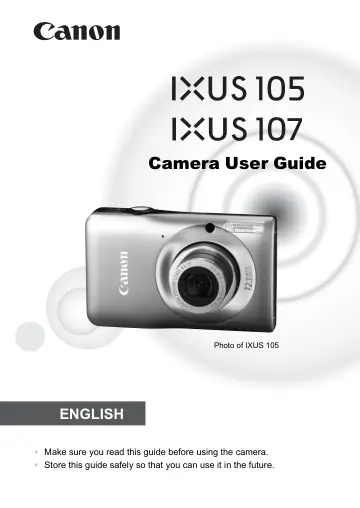
Canon 105 (4219B009) user manual
- Type
- User manual
- Language
- English
- Pages
- 142
- Models
- 4219B009
Open PDFOpens the file on objects.icecat.biz.
Contents
- Checking the Package Contentsp. 2
Check if the following items are included in your camera package. If anything is missing, contact the retailer from which you purchased the camera. Using the…
- Read This Firstp. 3
Test Shots and Disclaimer Take some initial test shots and play them back to make sure the images were recorded correctly. Please note that Canon Inc., its…
- What Do You Want to Do?p. 4
- Conventions Used in this Guidep. 8
Icons are used in the text to represent the camera buttons and switches. • Language that displays on the screen appears inside [ ] (square brackets). • The…
- Safety Precautionsp. 9
Before using the camera, please ensure that you read the safety precautions described below. Always ensure that the camera is operated correctly. • The safety…
- 1 Getting Startedp. 13
This chapter explains preparations before shooting, how to shoot in A mode, and then how to view and erase the images you take. The latter part of this chapter…
- 2 Learning Morep. 41
This chapter explains the parts of the camera and what appears on the screen, as well as the basic operating instructions.
- 3 Shooting in Special Conditions and Commonly Used Functionsp. 53
This chapter explains how to shoot in different conditions, as well as how to use common functions, such as the self-timer. • When you choose a Shooting mode…
- 4 Choosing Settings Yourselfp. 63
In this chapter you will learn how to use the various functions in G mode to progressively advance your shooting skills. • This chapter assumes that the mode…
- 5 Getting More Out of Your Camerap. 77
This chapter serves as the advanced version of Chapter 4 and explains how to take pictures using various functions. • This chapter assumes that the mode switch…
- 6 Using Various Functions for Shooting Moviesp. 87
This chapter provides more advanced information than the “Shooting Movies” and “Viewing Movies” sections of Chapter 1. • This chapter assumes that the mode…
- 7 Using Various Playback and Editing Functionsp. 93
This chapter explains various ways to play back and edit images. • Press the 1 button to enter Playback mode before operating the camera. • It may not be…
- 8 Printingp. 107
This chapter explains how to choose images for printing, and print using a PictBridge compliant printer (sold separately, p. 39). Please also refer to the…
- 9 Customizing Camera Settingsp. 113
You can customize various settings to suit your shooting preferences. The first part of this chapter explains convenient and commonly used functions. The…
- 10 Useful Informationp. 121
This chapter introduces how to use the AC adapter kit (sold separately), troubleshooting tips, and contains lists of functions and items that appear on the…
- Functions Available in Each Shooting Modep. 130
*1 Not selectable, but flash fires automatically depending on conditions. *2 Not selectable, but set to … when the flash fires. *3 Possible settings: 0 – 30…