Loading manual…
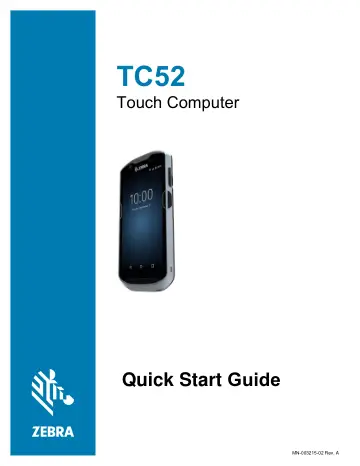
Zebra TC52 (TC520K-1HEZU4P-NA) quick start guide
- Type
- Quick start guide
- Language
- English
- Pages
- 16
- Models
- TC520K-1HEZU4P-NA
Open PDFOpens the file on objects.icecat.biz.
Contents
- Copyrightp. 2
© 2019 ZIH Corp. and/or its affiliates. All rights reserved. ZEBRA and the stylized Zebra head are trademarks of ZIH Corp., registered in many jurisdictions…
- Terms of Usep. 2
Proprietary Statement This manual contains proprietary information of Zebra Technologies Corporation and its subsidiaries (“Zebra Technologies”). It is…
- Proprietary Statementp. 2
This manual contains proprietary information of Zebra Technologies Corporation and its subsidiaries (“Zebra Technologies”). It is intended solely for the…
- Product Improvementsp. 2
Continuous improvement of products is a policy of Zebra Technologies. All specifications and designs are subject to change without notice
- Liability Disclaimerp. 2
Zebra Technologies takes steps to ensure that its published Engineering specifications and manuals are correct; however, errors do occur. Zebra Technologies…
- Limitation of Liabilityp. 2
In no event shall Zebra Technologies or anyone else involved in the creation, production, or delivery of the accompanying product (including hardware and…
- Provide Documentation Feedbackp. 2
If you have comments, questions, or suggestions about this guide, send an email to EVM-Techdocs@zebra.com.
- Featuresp. 3
Installing a microSD Card The microSD card slot provides secondary non-volatile storage. The slot is located under the battery pack. Refer to the documentation…
- Installing a microSD Cardp. 3
The microSD card slot provides secondary non-volatile storage. The slot is located under the battery pack. Refer to the documentation provided with the card…
- Installing the Batteryp. 5
To install the battery: 1. Insert the battery, bottom first, into the battery compartment in the back of the device. 2. Press the battery down until it snaps…
- Charging the Devicep. 6
Use one of the following accessories to charge the device and/or spare battery
- Charging the Spare Batteryp. 6
1. Insert a spare battery into the spare battery slot. 2. Ensure the battery is seated properly. The Spare Battery Charging LED blinks indicating charging. See…
- 1-Slot USB Charging Cradlep. 8
- 5-Slot Charge Only Cradlep. 9
Power LED Device Charging Slot
- 4-Slot Charge Only Cradle with Battery Chargerp. 10
Spare Battery Charging LED Power LED Spare Battery Slot Device Charging Slot
- 5-Slot Ethernet Cradlep. 11
4-Slot Battery Charger 1000 LED Device Charging Slot 100/100 LED Spare Battery Charging LEDs (4) Power LED Spare Battery Slot
- 4-Slot Battery Chargerp. 11
1000 LED Device Charging Slot 100/100 LED Spare Battery Charging LEDs (4) Power LED Spare Battery Slot
- Rugged Charge/USB Cablep. 12
- Scanningp. 13
To read a barcode, a scan-enabled application is required. The device contains the DataWedge application that allows the user to enable the imager, decode the…
- Ergonomic Considerationsp. 15