Loading manual…
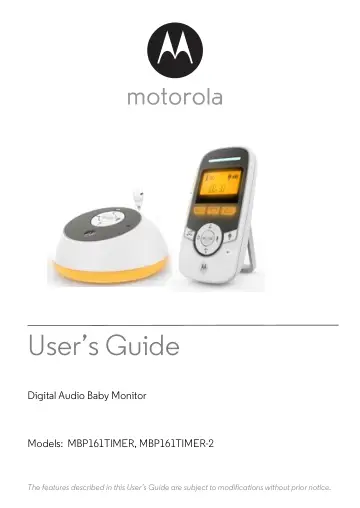
Zebra MBP161TIMER user manual
- Type
- User manual
- Language
- English
- Pages
- 29
- Models
- MBP161MBP161TIMER
Open PDFOpens the file on objects.icecat.biz.
Contents
- 1. Safety Instructionsp. 7
WARNING: Strangulation Hazard. Children have STRANGLED in cords. Keep this cord out of the reach of children (more than 3ft (1m) away). Never use extension…
- 2. Getting Startedp. 10
2.1 Baby unit power supply 1. Insert the DC plug of the power adapter with the bigger DC plug into the DC jack on the back of the baby unit. 2. Connect the…
- 2.1 Baby unit power supplyp. 10
1. Insert the DC plug of the power adapter with the bigger DC plug into the DC jack on the back of the baby unit. 2. Connect the other end of the power adapter…
- 2.2 Parent unit battery installation and power supplyp. 11
A rechargeable battery pack is supplied and should be fitted, so that the parent unit can be carried to another location without losing the link with the baby…
- 2.3 Belt clip/stand on parent unitp. 12
The parent unit comes with a desktop stand attached to the back of the unit. To place the parent unit on a desk, simply pull out the stand as shown above. NOTE…
- 3. Using Your Digital Audio Baby Monitorp. 13
Please read these instructions carefully, and be aware that this digital audio baby monitor is only intended as an aid. It is not a substitute for responsible…
- 3.1 Power on or offp. 13
3.1.1 Power on or off the baby unit • Press and hold to power on the baby unit. The Power/Link indicator turns on. • Press and hold again to power off the baby…
- 3.1.1 Power on or off the baby unitp. 13
Press and hold to power on the baby unit. The Power/Link indicator turns on. • Press and hold again to power off the baby unit. The Power/Link indicator turns…
- 3.1.2 Power on or off the parent unitp. 13
Press and hold to power on the parent unit. The LCD screen turns on. • Press and hold again to power off the parent unit. The LCD screen turns off. NOTE If you…
- 3.2 Speaker volumep. 13
3.2.1 Adjust speaker volume of the baby unit You can adjust the speaker volume of the baby unit from Volume 1 to Volume 5. • Press or on the baby unit
- 3.2.1 Adjust speaker volume of the baby unitp. 13
You can adjust the speaker volume of the baby unit from Volume 1 to Volume 5. • Press or on the baby unit
- 3.2.2 Adjust speaker volume of the parent unitp. 13
You can adjust the speaker volume of the parent unit from Volume 1 to Volume 3, or turn it off. • Press or on the parent unit when it is not in use. The sound…
- 3.3 Nightlightp. 14
Turn on nightlight so that the room is gently lit and isn’t so dark at night. The soft glow can allay a child’s fears and help them or you avoid obstacles when…
- 3.3.1 Turn on or turn off nightlight on the baby unitp. 14
1. When nightlight is off, press to turn it on. The bottom part of the baby unit lights up. 2. When nightlight is on, press to turn it off
- 3.3.2 Turn on or turn off nightlight on the parent unitp. 14
1. When the nightlight is off, press to turn it on. The LCD screen lights up. 2. When the nightlight is on, press to turn it off
- 3.4 Timersp. 14
You can set timers on the parent unit to remind you or caregivers of the time to feed the baby, change baby’s diaper or put the baby to bed. If the time limit…
- 3.4.1 Set feeding timerp. 14
1. Press on the parent unit when it is not in use. 2. Press - or + to adjust timer. Each key press represents an interval of 30 minutes, up to an interval of…
- 3.4.2 Reset feeding timerp. 15
- 3.4.3 Set diaper change timerp. 15
- 3.4.4 Reset diaper change timerp. 15
- 3.4.5 Set sleep timerp. 16
- 3.4.6 Reset sleep timerp. 16
- 3.5 Lullabyp. 17
You can play lullaby to drown out disturbances so that your child can slumber peaceful and easily
- 3.5.1 Select lullaby on the baby unitp. 17
1. Press on the baby unit to enter lullaby menu. 2. Press repeatedly to select your preferred lullaby
- 3.5.2 Start or end lullaby playback from the baby unitp. 17
1. Press on the baby unit to enter lullaby menu. 2. Press or to start playing the last selected lullaby. 3. Press or to end playback
- 3.5.3 Start or end lullaby playback from the parent unitp. 17
1. To start lullaby playback, press when the parent unit is not in use. 2. To end lullaby playback, press
- 3.6 Select display language for the parent unitp. 17
Choose from 3 languages. 1. Press on the parent unit when is not in use. 2. Press - or + to scroll to LANGUAGE and then press . 3. Press - or + to select…
- 3.7 Turn sound alert on or offp. 17
You can turn on the sound alert so that the parent unit beeps when a loud sound is detected by the baby unit. is displayed when sound alert is enabled. 1.…
- 3.8 Talk to the baby unitp. 18
You can use the TALK function of the parent unit to talk to and comfort your baby. To talk to the baby unit: 1. Press and hold T on the parent unit. 2. Speak…
- 3.9 Reset settings to defaultp. 18
1. Press and hold on the parent unit when it is not in use. 2. Press - or + to scroll to RESET and then press . 3. Press to confirm. All settings will be reset…