Loading manual…
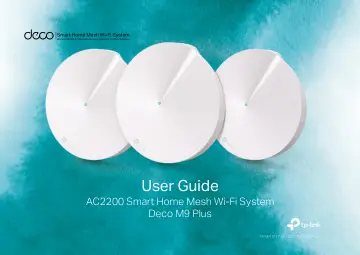
TP-Link AC2200 Smart Home Mesh Wi-Fi System (DECO M9 PLUS) user manual
- Type
- User manual
- Language
- English
- Pages
- 41
- Category
- Routers & Wi-Fi
- Models
- DECO M9 PLUSDECO M9 PLUS(2-PACK)DECO M9 PLUS(3-PACK)
Open PDFOpens the file on objects.icecat.biz.
Contents
- About This Guidep. 3
This guide provides a brief introduction to AC2200 Smart Home Mesh Wi-Fi System and the Deco app, as well as regulatory information. Features available in Deco…
- Appearancep. 4
Each Deco has an LED that changes color according to its status, two RJ-45 Ethernet ports and a power slot. See the explanation below: Yellow Start up. Blue…
- Set Up Your Decop. 5
The intuitive Deco app guides you through an easy setup process that gets each unit up and running and all your devices connected and online. Follow the steps…
- Add More Decosp. 8
After created a Deco network, you can add more Deco units into the network to expand the Wi-Fi coverage, and manage them conveniently on your Deco app. On the…
- Dashboardp. 9
After you successfully set up your Deco network, you will see the dashboard of the Deco app. Here you can get an overview of the network status, create…
- Check Deco Statusp. 10
In the Overview page, you can check the working status of all the Decos, check the Deco details, change or customize the location, and more. Tap to check all…
- Manage Connected Devicesp. 11
- Create New Networksp. 12
On the Deco app, you can create different Deco networks bound to your TP-Link ID, and manage them conveniently from the Deco app with one account. You can also…
- Remove/Reboot Decop. 14
You can remove or reboot your Deco easily on the Deco app. Follow the steps below. Tap to check all Decos' status Tap a Deco unit to enter the details Tap to…
- Shortcutp. 15
lets you achieve an action with a simple tap. Tap > Shortcut > CREATE Add actions Create shortcuts Tap the icon to execute the shortcut Tap the name to edit…
- Automationp. 16
allows you to set interactions between your smart devices by adding triggers and actions. For example, if the bedroom light turns on (which is a trigger), and…
- Wi-Fi Settingsp. 18
You can change the network name and password of your main network, create a separate network for guests to guarantee the security and privacy of your main…
- Internet Speed Testp. 19
Test your internet speed to see what you can do on your network. You will get an internet speed rating report after the test. Tap TEST to start testing Get…
- Network Optimizationp. 20
lets your Deco intelligently scan for a clearer channel and switch your devices to it, ensuring optimal Wi-Fi performance. The app will scan the network…
- Blacklistp. 21
Compile a blacklist to avoid devices added on the blacklist to access to your network, ensuring the safety of your personal information shared in the network.…
- Online Upgradep. 22
TP-Link is dedicated to improving product features and providing a better customer experience. An up-to-date firmware provides better and more stable network…
- WPSp. 23
(Wi-Fi Protected Setup) helps you to quickly and securely connect a client to a network with a tap without entering any password. Tap the WPS icon on Deco app…
- Parental Controlsp. 24
allows you to filter content, limit time spent online and check internet history. Start by creating unique profiles for your family members. Create unique…
- Antivirusp. 25
Deco’s Antivirus feature blocks malicious websites to ensure you can safely surf the internet, protects your network against external attacks and eliminates…
- QoSp. 26
(Quality of Service) helps you set priority for specific applications and devices, so that they can perform better with lower latency. Set the total bandwidth…
- Monthly Reportp. 27
Review the monthly usage statistics, such as security threats and total connected network devices each day. View monthly reports Enable or disable monthly…
- Managersp. 28
Add friends and family members to help manage your network. Each manager should have their own TP-Link ID. Add other accounts as managers Remove manager Set…
- Advanced Featuresp. 29
Additional features are available under the Advanced menu. You can modify WAN settings (IPv4 & IPv6), add IPv6 firewall rules, modify LAN IP, set up DHCP…
- Authenticationp. 34
FCC STATEMENT Product Name: AC2200 Smart Home Mesh Wi-Fi System Model Number: Deco M9 Plus Component Name Model I.T.E POWER SUPPLY T120200-2B4 Responsible…