Loading manual…
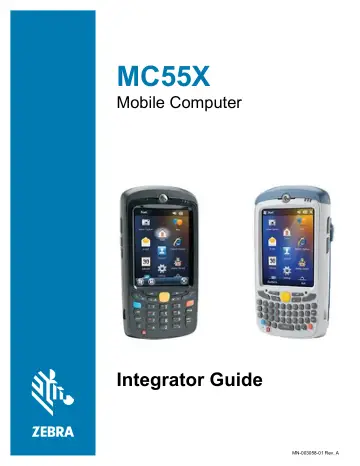
Zebra MC55X (MC55E0-PL0S3RQA9WR) user manual
- Type
- User manual
- Language
- English
- Pages
- 90
- Models
- MC55E0-PL0S3RQA9WRMC55X
Open PDFOpens the file on objects.icecat.biz.
Contents
- Copyrightp. 2
© 2017 ZIH Corp. and/or its affiliates. All rights reserved. ZEBRA and the stylized Zebra head are trademarks of ZIH Corp., registered in many jurisdictions…
- Terms of Usep. 2
Proprietary Statement This manual contains proprietary information of Zebra Technologies Corporation and its subsidiaries (“Zebra Technologies”). It is…
- Revision Historyp. 2
Changes to the original guide are listed below: Change Date Description -01 Rev A 11/2017 Initial release.
- About This Guidep. 7
Introduction This Integrator Guide provides information about setting up and configuring the MC55X (MC55E0 configurations) and it’s accessories. Documentation…
- Getting Startedp. 11
Introduction This chapter lists the parts and accessories for the MC55X and explains how to set up the MC55X for the first time. Unpacking Carefully remove all…
- Accessoriesp. 18
Introduction This chapter provides set up information for the MC55X various accessories listed in Table 5. Table 5 MC55X Accessories Accessory Part Number…
- Synchronizationp. 51
Introduction Synchronization lets the user manage information between an MC55X and a host computer so that changes made either on the MC55X or on the host…
- Application Deploymentp. 56
Introduction This chapter describes features in Windows Mobile including new security features, how to package applications, and procedures for deploying…
- Maintenance & Troubleshootingp. 64
Introduction This chapter includes instructions on cleaning and storing the MC55X, and provides troubleshooting solutions for potential problems during MC55X…
- Technical Specificationsp. 74
MC55X Technical Specifications The following tables summarize the EDA’s intended operating environment and technical hardware specifications. MC55X Table 16…
- Softwarep. 84
Battery Usage Threshold Setting By default the Battery Usage Threshold value is set to a pre-defined value (400 by default). To change the threshold value, a…