Loading manual…
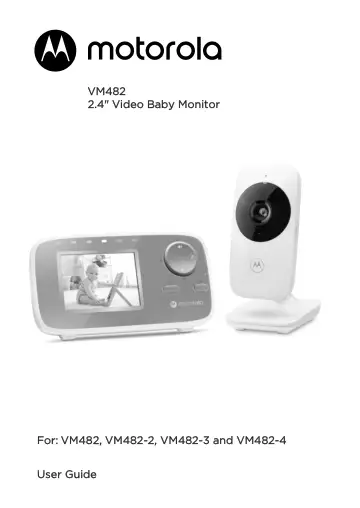
Motorola VM482 user manual
- Type
- User manual
- Language
- English
- Pages
- 26
- Category
- Baby care
- Models
- VM482
Open PDFOpens the file on objects.icecat.biz.
Contents
- 1. Safety Instructionsp. 7
WARNING: STRANGULATION HAZARD - Keep the unit and adaptor cord more than 3 feet from the crib and out of the baby's reach. NEVER place Baby Unit or cords…
- 2. Getting Startedp. 10
- 2.1 Connecting Baby Unit to powerp. 10
1. Insert the DC plug of the power adaptor with the smaller DC plug into the DC jack in the side of the Baby Unit. 2. Connect the other end of the power…
- 2.2 Installing the battery and connecting Parent Unit to powerp. 11
A rechargeable battery pack is supplied and should be fitted, so that the Parent Unit can be moved without losing the link and picture from the Baby Unit(s).…
- 2.3 Desktop Mount of Parent Unitp. 12
Flip the stand from Parent unit rear to open position for desktop mount.
- 3. Using Your Baby Monitorp. 13
Using Your Baby Monitor 13 Please read these instructions carefully, and be aware that this baby monitor is only intended as an aid. It is not a substitute for…
- 3.1 Power on or off the Baby Unitp. 13
Slide the Power ON/OFF switch to turn on the Baby Unit. The Power/Link indicator light turns on. Slide the Power ON/OFF switch to turn off the Baby Unit. The…
- 3.2 Power on or off the Parent Unitp. 13
Press and hold 0 to turn on the Parent Unit. The Power indicator light turns on. Press and hold 0 again to turn off the Parent Unit. The Power indicator light…
- 3.3 Turn off the Parent Unit screenp. 13
You can turn on or off the Parent Unit screen without powering off the Parent Unit. You can still hear sound from the Baby Unit. Press 0 on the Parent Unit to…
- 3.4 Adjust the speaker volume for Parent Unitp. 13
You can adjust the speaker volume from Volume 1 to Volume 5, or turn it off. Press or on the Parent Unit when it is not in use. When the speaker volume is set…
- 3.5 Adjust the LCD brightness of the Parent Unitp. 13
You can adjust the brightness of the Parent Unit screen from Level 1 to Level 5. 1. Press when the Parent Unit is not in use. is displayed. 3. Press or to…
- 3.6 Set the alarm on the Parent Unitp. 14
You can use the Parent Unit to set the alarm as a reminder for you to take care of your baby. Turn on and set the alarm when it is currently off: 1. Press when…
- 3.7 Monitor the temperaturep. 14
Your Baby Unit measures the surrounding temperature. If the detected temperature falls beyond a desired temperature range, you will hear an alert tone. You can…
- 3.7.1 Temperature formatp. 14
You can choose to display the temperature in °F or °C. 1. Press when the Parent Unit is not in use. 2. to scroll to . 6. Press or to choose °F or °C. 7. Press…
- 3.8 Delete a Baby Unitp. 14
- 3.9 Set the screen off time of the Parent Unitp. 15
You can set the screen off time of the Parent Unit after being in idle mode for a particular time interval. 1. Press when the Parent Unit is not in use. 2. to…
- 3.10 Zoomp. 15
You can zoom in or out while viewing the image from Baby Unit. 1. Press to zoom in. 2. Press and hold <, , or to move the zoomed image leftward, rightward…
- 3.11 Pair and replace extra new Baby Unitp. 15
- 4. Disposal of the Device (environment)p. 16
Disposal of the Device (environment) 3.11 Pair and replace extra new Baby Unit The Baby Units and Parent Unit provided are already paired. You can add or…
- 5. Cleaningp. 17
Clean your Baby Monitor with a slightly damp cloth or with an anti-static cloth. Never use cleaning agents or abrasive solvents. Cleaning and care • Do not…
- 6. Troubleshootingp. 18
Power Indicator on the Parent Unit does not come on • Check whether the Parent Unit is powered on. • Check whether the battery pack supplied is correctly…
- 7. General Informationp. 20
lf your product is not working properly.... To order a replacement battery pack, contact customer service. 1. Read this User’s Guide or the Quick Start Guide.…
- What Does this Warranty Cover?p. 20
Subject to the exclusions contained below, MZGW warrants that this Motorola branded product (“Product”) or certified accessory (“Accessory”) sold for use with…
- Who is covered?p. 20
This warranty extends only to the first consumer purchaser, and is not transferable.
- What will BINATONE do?p. 20
- What Other Limitations Are There?p. 21
- How to Obtain Warranty Service or Other Information?p. 23
General Information 23 FCC and IC regulations FCC Caution: Any changes or modifications not expressly approved by the party responsible for compliance could…