Loading manual…
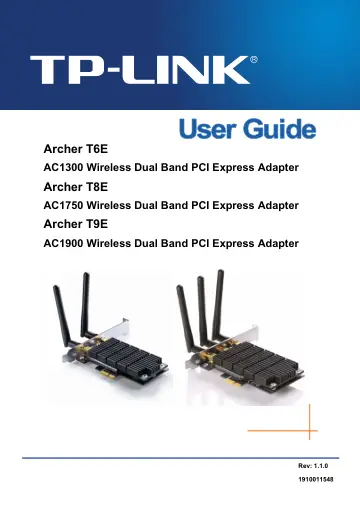
TP-Link Archer T6E user manual
- Type
- User manual
- Language
- English
- Pages
- 59
- Category
- PC components
- Models
- ARCHER T6E
Open PDFOpens the file on objects.icecat.biz.
Contents
- Chapter 1 Product Overviewp. 12
1.1 Introduction The adapter is a dual band 802.11ac client device designed to deliver a high-speed wireless performance for your desktop. With a faster…
- 1.1 Introductionp. 12
The adapter is a dual band 802.11ac client device designed to deliver a high-speed wireless performance for your desktop. With a faster wireless connection…
- 1.2 Featuresp. 12
Supports dual-band, 2.4GHz or 5GHz Supports IEEE 802.11 ac Seamlessly compatible with 802.11a/b/g/n products Experience smoother video streaming and…
- 1.3 Conventionsp. 12
You can set the parameters according to your demand. This User Guide is shared by Archer T6E/Archer T8E and Archer T9E. Here in this Guide we use Archer T8E…
- 1.4 LED Statusp. 13
LED status: Status Working Status On The adapter has been installed. Flashing Data is being transmitted or received at a high data rate.
- Chapter 2 Installationp. 14
Please install the PCI Express adapter into your computer before installing the driver and utility software from the Resource CD
- 2.1 Hardware Installationp. 14
1. Install the antennas. 2. Turn off your computer and unplug the power cord from the computer. 3. Open the case and locate an available PCI Express slot.…
- 2.2 Software Installationp. 14
The adapter’s Setup Wizard will guide you through the installation procedures for Windows XP, Windows 7, Windows 8, Windows 8.1 and Windows 10. The procedures…
- Chapter 3 Connect to a Wireless Networkp. 20
With both the hardware and software successfully installed into your computer, you can quickly connect to a wireless network using one of the following…
- 3.1 To connect using TWCUp. 20
1. After installation, the utility configuration page will automatically pop up on the screen. If the utility page does not pop up, you can also launch the…
- 3.2 To connect using WPSp. 24
WPS (Wi-Fi Protected Setup) function allows you to add a new wireless device to an existing network quickly. If your wireless Router supports WPS or QSS (Quick…
- 3.3 To connect using Windows built-in wireless utilityp. 29
3.3.1 In Windows XP Windows XP users may use the built-in wireless utility. Follow the steps below. 1. Right-click on the utility icon in your system tray…
- Chapter 4 Managementp. 38
This section will show you how to configure your Archer T6E/Archer T8E/Archer T9E adapter using the TP-LINK Wireless Configuration Utility (TWCU). The Archer…
- 4.1 Profilep. 38
Your wireless networks may vary in different places like home, office or coffee shop. With Profile management, you can easily save and manage various networks…
- 4.2 Advancedp. 44
The following configurations can be made on the Advanced page: 1) To select wireless configuration tool. Here you can decide which tool to use, either the…
- 4.3 Aboutp. 44
The About screen gives you some information about the Driver and Utility versions of the adapter. Right-click the icon in your system tray and select About…
- Chapter 5 AP Mode (For Windows 7 and Windows 8)p. 46
In Soft AP mode, the adapter will work as an AP. This function is available in Windows 7 and Windows 8. Suppose that only one computer in your house can access…
- Chapter 6 Uninstall Softwarep. 49
6.1 In Windows XP/7 The software uninstall steps are similar in Windows XP, and Windows 7. Here we just use Windows 7 as an example. 6.1.1 Uninstall the…
- 6.1 In Windows XP/7p. 49
The software uninstall steps are similar in Windows XP, and Windows 7. Here we just use Windows 7 as an example. 6.1.1 Uninstall the utility software from your…
- 6.2 In Windows 8/8.1/10p. 52
The software uninstall steps are similar in Windows 8, Windows 8.1 and Windows 10. Here we just use Windows 8 as an example. 6.2.1 Uninstall the utility…
- Appendix A: Specificationsp. 56
Normal Interface PCI Express x1 Standards IEEE802.11ac; IEEE802.11a; IEEE802.11b; IEEE802.11g; IEEE802.11n; IEEE802.11e; IEEE802.1x Operating System Windows…
- Appendix B: Glossaryp. 58
802.11ac - IEEE 802.11ac is a wireless computer networking standard of 802.11.This specification will enable multi-station WLAN throughput of at least 1…