Loading manual…
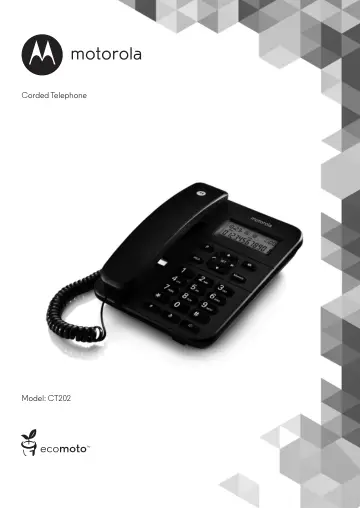
Motorola CT202 (107CT202BLACK) user manual
- Type
- User manual
- Language
- English
- Pages
- 32
- Category
- Phones
- Models
- 107CT202WHITE
Open PDFOpens the file on objects.icecat.biz.
Contents
- 1. Getting startedp. 6
IMPORTANT Do not place your CT202 in the bathroom or other humid areas. Location You need to place your CT202 base within 2 metres of the telephone wall socket…
- 2. Getting to know your phonep. 8
Overview of the base A Hook switch Hangs up a call when pressed or when you replace the handset. B Display See page 10 for an overview of display icons. C…
- 3. Using the phonep. 11
3.1 Calls 3.1.1 Make a call Lift the handset, when you hear the dial tone, dial the number. 3.1.2 Pre-dial 1. Enter the phone number (maximum 32 digits). If…
- 4. Memoryp. 13
You can store ten telephone numbers in the two touch memory; the numbers can be up to 16 digits long. 4.1 Store a two-touch memory number with the handset on…
- 5. Ringtonep. 15
Your CT202 has a choice of 24 ringtones and choose from 4 volume levels and crescendo. 5.1 Set the ringtone 1. Press h. The current ringtone is played. 2.…
- 6. Date and timep. 16
If you have subscribed to a FSK type Caller ID Service, the date and time is set automatically when you receive your first call. If you do not have a FSK…
- 7. Area codep. 17
You can set your local area code into the phone. When a number from that area code calls only the local number will be displayed and stored. If you then redial…
- 8. PABX access codep. 18
If the CT202 is connected to a switchboard, you may need to enter a one-digit access code in the dialling sequence to be able to connect to the outside line.…
- 9. Auto IPp. 19
Allows you to store your IP code in the phone for lower cost call charges for a long distance call. 9.1 Store a number 1. Press and hold m for 3 seconds, the…
- 10. VIPp. 20
An important number in the calls list can be locked in the phone. A locked number cannot be deleted from the calls list unless all numbers are deleted. If the…
- 11. Displayp. 21
You can change the contrast of the display; there are 5 levels to choose from. 11.1 Change the display contrast Either: 1. Press l, the display shows LCD and…
- 12. Recall and Dial modep. 22
Recall is useful to access certain network services and PABX/switchboard services. The recall mode preset in the CT202 is suitable for your country network.…
- 13. Set the alarmp. 23
1. Press and hold m for 3 seconds, the display shows SEt 1 dAtE. 2. Scroll c or d to SEt 5 ALErt. 3. Press m and the display shows 00-00 OFF. 4. Scroll c or d…
- 14. Calls listsp. 24
If you have subscribed to a Caller ID service, and provided the identity of the caller is not withheld, the number of the caller will be displayed together…
- 15. Helpp. 25
No dial tone • Use only the telephone line cord supplied. • Check that the telephone line cord is connected properly. Storing numbers • Once you have stored a…
- 16. General informationp. 26
IMPORTANT This product is intended for connection to analogue public switched telephone networks and private switchboards within India. Important safety…