Loading manual…
Zebra CD4001 (107CD4001) user manual
Open PDFOpens the file on objects.icecat.biz.
Contents
- 1. Getting startedp. 6
Location IMPORTANT Do not place your CD4 in the bathroom or other humid areas. You need to place your CD4 base within 2 metres of the mains power socket and…
- 2. Getting to know your phonep. 10
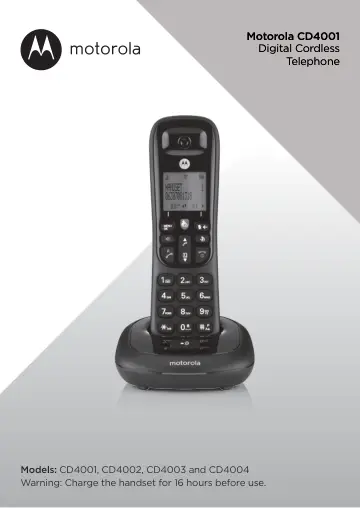
Overview of your handset A Earpiece B Display See page 12 for display icons. C Call Block Press to enter the call block menu. D Menu / OK Enter the main menu.…
- 3. Using the phonep. 15
3.1 Switch the handset on / off 1. Press and hold e to switch the handset off. 2. Press e to switch the handset on. 3.2 Calls 3.2.1 Make a call 1. Press T. 2.…
- 4. Phonebookp. 19
You can store up to 50 names and numbers in the phonebook. Names can be up to 16 characters long and numbers up to 24 digits. 4.1 Store a name and number If…
- 5. Clock and alarmp. 21
If you have subscribed to Caller ID Service, the date and time will be set on your handset whenever a call is received. You can also manually set the date and…
- 6. Phone setupp. 22
6.1 Handset tones 6.1.1 Ring volume You can adjust the ringer volume and set different volume levels. Choose from 5 volume levels or Off. 1. Press M, scroll d…
- 7. Advanced settingsp. 25
7.1 Call list type You can set the Call list to show All calls or Missed calls only. If All calls is selected, press u key in idle and you can view all calls…
- 8. Caller ID and the Calls listp. 29
8.1 Caller ID To use Caller ID, you must first subscribe to the service from your network provider. A subscription fee may be payable. If you have subscribed…
- 9. Helpp. 31
The is not scrolling during charge • Bad battery contact – move the handset slightly. • Dirty contact – Clean the battery contact with a cloth moistened with…
- 10. General informationp. 32
IMPORTANT This equipment is not designed to make emergency telephone calls when the power fails. Alternative arrangements should be made for access to…