Loading manual…
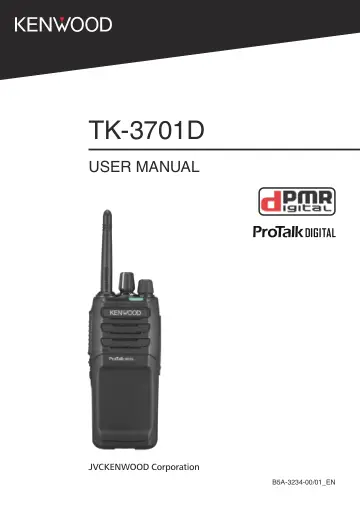
Kenwood TK-3701DE user manual
- Type
- User manual
- Language
- English
- Pages
- 31
- Category
- Radios
- Models
- TK-3701DE
Open PDFOpens the file on objects.icecat.biz.
Contents
- PREPARATIONp. 3
INSTALLING/ REMOVING THE BATTERY PACK The battery pack is not charged at the factory; charge it before use. CAUTION ◆Do not short the battery terminals or…
- ORIENTATIONp. 7
ab c d e f Battery pack Microphone Antenna Speaker a Selector Rotate to change the operating channel. b LED indicator Refer to the “LED Indicator Status” {p.…
- BASIC OPERATIONp. 8
POWER ON Turn the Power switch/ Volume control clockwise to switch the transceiver power ON. • A beep will sounds. ADJUST THE VOLUME Rotate the Power switch/…
- SELF-PROGRAMMING MODEp. 10
This transceiver allows you to reprogram each of the channels with different frequencies and QT/DQT (Analogue)/ Common ID (Digital) settings. The table below…
- CHANNEL CONFIRMATION MODEp. 19
To confirm your channel settings: 1 With the transceiver power OFF, press and hold the PTT switch while turning the transceiver power ON. • Continue to hold…
- BUTTON FUNCTION PROGRAMMING MODEp. 20
This transceiver allows you to reprogram the Side 1 and Side 2 buttons with any of the functions listed in the table below. Explanations on the use of each…
- VOICE OPERATED TRANSMISSION (VOX)p. 24
VOX (VOX/ Semi-VOX) operation allows you to transmit hands-free. VOX can only be used if you are using a supported headset. VOX Type VOX: When the voice level…
- SECOND PTT FUNCTIONp. 26
Apart from the channel you normally select, you can use another channel (Second PTT channel) with a dedicated [Second PTT]. • The Second PTT function can be…
- BACKGROUND OPERATIONSp. 27
TIME-OUT TIMER (TOT) The Time-out Timer prevent callers from using a channel for an extended duration. If you continuously transmit for the duration programmed…
- ALL RESET MODEp. 28
At some point in time, you may desire to reset the transceiver settings to their default values. This function will reset all channels to their default…
- TROUBLESHOOTING GUIDEp. 29
Problem Solution Cannot turn the transceiver power ON. • The battery pack may be dead. Recharge or replace the battery pack. • The battery pack may not be…
- SPECIFICATIONSp. 30
RF Output Power 0.5 W e.r.p. Audio Output Power 1 W (internal speaker) / 500 mW (external output) Frequency Stability ± 0.5 ppm Operating Voltage 7.5 V DC ±20…