Loading manual…
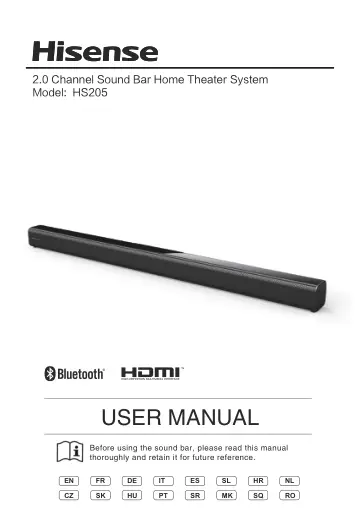
Hisense HS205 (20003553) user manual
- Type
- User manual
- Languages
- English, French
- Pages
- 226
- Category
- Soundbars
- Models
- HS205
Open PDFOpens the file on objects.icecat.biz.
Contents
- Product Diagramp. 6
Main Unit 1 Remote Control Sensor Receive signal from the remote control. 2 LED Indicators • Red : In STANDBY mode. • Orange / Orange flash : In Optical /…
- Main Unitp. 6
Remote Control Sensor Receive signal from the remote control. 2 LED Indicators • Red : In STANDBY mode. • Orange / Orange flash : In Optical / Coaxial mode. •…
- Remote Controlp. 7
Switch the unit between ON and STANDBY mode. 2 (MUTE) Mute or resume the sound. 3 MOVIE Switch to MOVIE EQ effect. 4 MUSIC Switch to MUSIC EQ effect. 5…
- Placement and Mountingp. 8
Placement A If your TV is placed on a table, you can place the unit on the table directly in front of the TV stand, centered with the TV screen. B If your TV…
- Wall Mounting (if using option-B)p. 8
Note: - Installation must be carried out by qualified personnel only. Incorrect assembly can result in severe personal injury and property damage (if you…
- Connectionsp. 9
Connect to HDMI (ARC) Socket Your Soundbar supports HDMI with Audio Return Channel (ARC). If your TV is HDMI ARC compliant, you can hear the TV audio through…
- Connect to HDMI (ARC) Socketp. 9
Your Soundbar supports HDMI with Audio Return Channel (ARC). If your TV is HDMI ARC compliant, you can hear the TV audio through your Soundbar by using a…
- Connect to LINE IN Socketp. 10
A Use a RCA to 3.5mm audio cable (not included) to connect the TV’s audio output sockets to the LINE IN socket on the unit. B Use a 3.5mm to 3.5mm audio cable…
- Connect Powerp. 10
Risk of product damage! - Ensure that the power supply voltage corresponds to the voltage printed on the back or the underside of the unit. - Before connecting…
- Adjust the Volumep. 11
Press the VOL+ / VOL- buttons on the unit or on the remote control to adjust the volume. If you wish to turn the sound off, press the button on the remote…
- Select a Preset Sound Effectp. 11
While playing, press the MOVIE / MUSIC / NEWS buttons on the remote control to select the preset equalizers: MOVIE (recommended for viewing movie) MUSIC…
- Troubleshootingp. 13
I can’t find the Bluetooth name of this unit on my Bluetooth device for Bluetooth pairing • Ensure the Bluetooth function is activated on your Bluetooth…
- Specificationsp. 14
Model Name HS205 Soundbar Power Supply AC100-240V~ 50/60Hz Power Consumption 30W Standby Power < 0.5 W USB port for playback USB Compatibility USB Playback…