Loading manual…
TP-Link P300 (TAPO P300) user manual
- Type
- User manual
- Language
- English
- Pages
- 28
- Models
- TAPO P300
Open PDFOpens the file on objects.icecat.biz.
Contents
- About This Guidep. 3
This guide provides a brief introduction to the Smart Wi-Fi Power Strip and the Tapo app, as well as regulatory information. Please note that features…
- Introductionp. 4
*This guide applies to the EU & FR version of Tapo P300. With independent control of 3 smart outlets and always-on USB ports to charge 3 others, the Tapo P300…
- Certified for Humans (CFH) Supportedp. 5
Certified for Humans is an Amazon certification program for Alexa-compatible devices that identifies high-quality smart home experiences across setup…
- Appearancep. 6
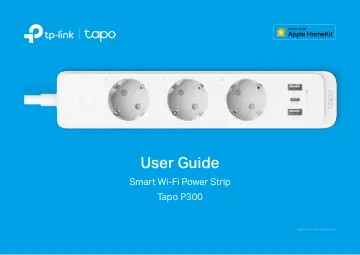
Tapo P300 Smart Wi-Fi Power Strip has one power button, three outlets, three USB ports, and three system LEDs. See the explanations below. Note: The EU version…
- Position Your Power Stripp. 7
Put your power strip within the Wi-Fi range of your home Wi-Fi network and control the plugged-in devices individually and easily with the Tapo app. Generally…
- Set Up Your Smart Power Stripp. 8
Follow the steps below to set up your smart power strip via the Tapo app. Step 1. Download Tapo App Get the Tapo app from the App Store or Google Play, or by…
- Add Smart Power Strip to Homep. 9
This is a HomeKit-enabled device. You can also add it to the Home app for easy control from your iPhone or iPad. Follow the steps below to add your smart power…
- Set Up Using Amazon Frustration-Free Setupp. 11
What is Amazon Frustration-Free Setup? Amazon Frustration-Free Setup can help connect and set up Tapo smart devices in fewer steps, without having to remember…
- Basic Device Controlp. 15
After successfully set up your smart power strip, you will see the home page of the Tapo app. Here you can view the status of all devices that you've added and…
- Configure Your Smart Power Stripp. 16
You can configure your smart power strip by setting Schedule, Away Mode, Timer, and more. Set Schedule Tap to set schedules for each outlet of your power strip…
- Smart Actionsp. 18
automate repetitive tasks, allowing you to blaze through tedium with utmost ease. Set everything up once and never have to worry about it again. With Smart…
- Share Your Smart Power Stripp. 21
You can invite your family members to manage your Tapo devices together by entering the TP-Link ID (email) you want to share the devices with.
- Third-Party Servicesp. 22
Select Amazon Alexa or Google Assistant. Follow the app instructions to control your device via voice. Third-Party Services Control your smart devices through…
- Authenticationp. 24
CE Mark Warning This is a class B product. In a domestic environment, this product may cause radio interference, in which case the user may be required to take…