Loading manual…
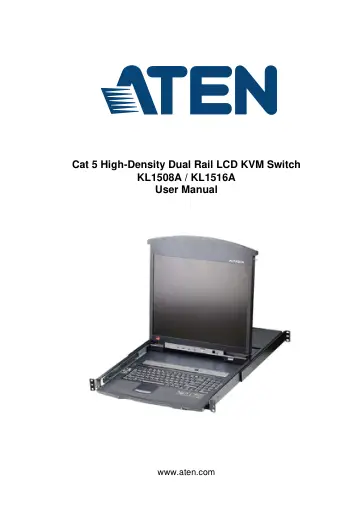
ATEN KL1516AN (KL1516AN-AW-DNG) user manual
- Type
- User manual
- Language
- English
- Pages
- 98
- Category
- Docks & adapters
- Models
- KL1508AKL1508AM-AXA-A1GKL1508AN-AXA-A1GKL1508AN-AXA-RGKL1508AN-AXA-UGKL1516AKL1516AN-AW-DNG
Open PDFOpens the file on objects.icecat.biz.
Contents
- Introductionp. 13
Overview A KL1508A or KL1516A KVM switch is a control unit that allows IT administrators to access and control multiple computers from a single PS/2 or USB KVM…
- Hardware Setupp. 23
Before you Begin 1. Important safety information regarding the placement of this device is provided on page 67. Please review it before proceeding. 2. Make…
- Basic Operationp. 33
Opening the Console The KL1508A / KL1516A's console consists of two modules: An LCD display module located under the top cover; and a keyboard / touchpad…
- OSD Operationp. 45
OSD Overview The On Screen Display (OSD) is a menu driven method to handle computer control and switching operations. All procedures start from the OSD Main…
- Hotkey Operationp. 59
Hotkey Port Control Hotkey port control allows you to provide KVM focus to a particular computer directly from the keyboard. The KL1508A / KL1516A provides the…
- Keyboard Emulationp. 69
Mac Keyboard The PC compatible (101/104 key) keyboard can emulate the functions of the Mac keyboard. The emulation mappings are listed in the table below.…
- The Firmware Upgrade Utilityp. 71
Introduction The purpose of the Windows-based Firmware Upgrade Utility is to provide an automated process for upgrading the KL1508A / KL1516A and compatible…
- Appendixp. 79
Safety Instructions General This product is for indoor use only. Read all of these instructions. Save them for future reference. Follow all warnings and…