Loading manual…
MSI MAG X570 TOMAHAWK WIFI quick start guide
- Type
- Quick start guide
- Language
- English
- Pages
- 75
- Category
- Motherboards
- Models
- MAG X570 TOMAHAWK WIFI
Open PDFOpens the file on objects.icecat.biz.
Contents
- Quick Startp. 1
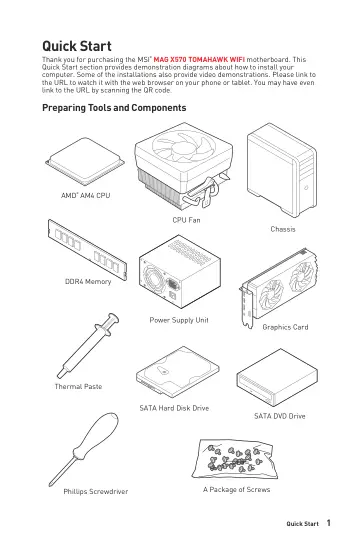
Thank you for purchasing the MSI® MAG X570 TOMAHAWK WIFI motherboard. This Quick Start section provides demonstration diagrams about how to install your…
- Specificationsp. 15
CPU Supports 2nd and 3rd Gen AMD Ryzen™ / Ryzen™ with Radeon™ Vega Graphics and 2nd Gen AMD Ryzen™ with Radeon™ Graphics Desktop Processors for Socket AM4…
- Block Diagramp. 22
- Rear I/O Panelp. 23
Link/ Activity LED Status Description Off No link Yellow Linked Blinking Data activity Speed LED Status Description Off 10 Mbps connection Green 100 Mbps/ 1…
- Overview of Componentsp. 27
- Installing OS, Drivers & Utilitiesp. 44
Please download and update the latest utilities and drivers at www.msi.com Installing Windows ® 10 1. Power on the computer. 2. Insert the Windows ® 10…
- BIOS Setupp. 45
The default settings offer the optimal performance for system stability in normal conditions. You should always keep the default settings to avoid possible…
- AMD RAID Configurationp. 66
The following are the RAID levels supported by RAIDXpert2. RAID 0 (Striping) breaks the data into blocks which are written to separate hard drives. Spreading…
- Troubleshootingp. 71
Before sending the motherboard for RMA repair, try to go over troubleshooting guide first to see if your got similar symptoms as mentioned below. The power is…
- CPU_FAN1, PUMP_FAN1, SYS_FAN1~4: Fan Connectorsp. 36
Fan connectors can be classified as PWM (Pulse Width Modulation) Mode or DC Mode. PWM Mode fan connectors provide constant 12V output and adjust fan speed with…
- CPU_PWR1~2, ATX_PWR1: Power Connectorsp. 35
- CPU Socketp. 29
Introduction to the AM4 CPU The surface of the AM4 CPU has a yellow triangle to assist in correctly lining up the CPU for motherboard placement. The yellow…
- DIMM Slotsp. 30
- JAUD1: Front Audio Connectorp. 38
- JBAT1: Clear CMOS (Reset BIOS) Jumperp. 41
There is CMOS memory onboard that is external powered from a battery located on the motherboard to save system configuration data. If you want to clear the…
- JCI1: Chassis Intrusion Connectorp. 40
This connector allows you to connect the chassis intrusion switch cable. Normal (default) Trigger the chassis intrusion event Using chassis intrusion detector…
- JCOM1: Serial Port Connectorp. 40
This connector allows you to connect the optional serial port with bracket.
- JFP1, JFP2: Front Panel Connectorsp. 34
- JRAINBOW1~2: Addressable RGB LED connectorsp. 43
The JRAINBOW connectors allow you to connect the WS2812B Individually Addressable RGB LED strips 5V. JRAINBOW connector JRAINBOW connector System Fan connector…
- JRGB1~2: RGB LED connectorsp. 42
- JRTD3: Intel RTD3 Connectorp. 39
This connector allows you to connect the RTD3 connector on the add-on Thunderbolt I/O card that supports RTD3.
- JTBT1: Thunderbolt Add-on Card Connectorp. 39
- JUSB1~2: USB 2.0 Connectorsp. 37
- JUSB3~4: USB 3.2 Gen1 Connectorsp. 37
- JUSB5: USB 3.2 Gen 2 Type-C Connectorp. 38
- M2_1~2: M.2 Slots (Key M)p. 32
M2_1 M2_2 M.2 installation 1. Loosen the screws of M.2 heatsink. 2. Remove the M.2 hearsink and remove the protective film from the thermal pad. 1 1 1 1 2 The…
- PCI_E1~4: PCIe Expansion Slotsp. 31
⚠ ⚠Important •If you install a large and heavy graphics card, you need to use a tool such as MSI Gaming Series Graphics Card Bolster to support its weight to…
- SATA1~6: SATA 6Gb/s Connectorsp. 34
These connectors are SATA 6Gb/s interface ports. Each connector can connect to one SATA device. ⚠ ⚠Important •Please do not fold the SATA cable at a 90-degree…