Loading manual…
Vertiv MP2-220N user manual
- Type
- User manual
- Language
- English
- Pages
- 18
- Models
- MP2-220N
Open PDFOpens the file on objects.icecat.biz.
Contents
- IMPORTANT SAFETY INSTRUCTIONSp. 5
SAVE THESE INSTRUCTIONS This manual contains important instructions that should be followed during installation and operation of the MP2-220N POD™. This…
- GLOSSARY OF SYMBOLSp. 6
Equipment grounding conductor Bonded to ground Electric phase Indicates AC input Indicates AC output Indicates caution followed by important instructions
- INTRODUCTION AND SYSTEM DESCRIPTIONp. 7
- System Descriptionp. 7
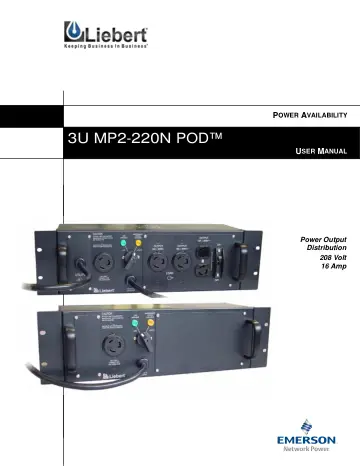
1.0 INTRODUCTION AND SYSTEM DESCRIPTION Congratulations on your choice of the Liebert MP2-220N POD™ (3U POD). The 3U POD provides maintenance bypass capability…
- RACK MOUNT INSTALLATIONp. 8
2.0 RACK MOUNT INSTALLATION 1. Rack mount installation of the 3U POD is possible with the use of the rack mounting brackets (shipped with the 3U POD). See…
- INSTALLATION AND ELECTRICAL CONNECTIONSp. 9
3.0 INSTALLATION AND ELECTRICAL CONNECTIONS Unpack the 3U POD carefully, noting the packing method. Retain the box and packing material for possible future…
- Power Connection Optionsp. 9
The 3U POD may be connected to the UPS in either of two ways: • The unit is shipped ready for connection with NEMA cords and receptacles (Cord-Receptacle…
- Cord-Receptacle Installation and Start-Upp. 9
1. Verify that the 3U POD input cord, UPS input cord and receptacle for the UPS have the same type of configuration. 2. If you already have a UPS installed…
- ALTERNATE HARDWIRE INSTALLATIONp. 10
- Electrical Installation Considerationsp. 10
The utility input supply cable must be connected to the unit via a wall-mounted circuit breaker. The UPS output port must also be protected with a circuit…
- Electrical Connectionsp. 10
The cable sizes and distribution methods used during installation are subject to local and national electrical codes of practice and are therefore not listed…
- Conversion From Cord-Receptacle to Hardwirep. 11
Two wiring access panels on the front of the 3U POD allow access to the wiring compartments. Each access door is retained using four Phillips head screws. 1.…
- INDICATOR LAMPSp. 12
- UTILITY Indicator Lampp. 12
This amber lamp is illuminated when utility power is present (see Figure 5). It signals that you may transfer the loads to maintenance bypass (UTILITY mode)…
- UPS Indicator Lampp. 12
This green lamp is illuminated when there is output power available from the UPS (see Figure 5). It signals that it is safe to transfer the connected loads…
- OPERATIONp. 13
- Transfer to Maintenance Bypassp. 13
To transfer to maintenance bypass (utility) from UPS, use the following steps: 1. Ensure the UTILITY lamp (amber) is illuminated. If the lamp is not…
- Transfer to UPSp. 13
To transfer to UPS from maintenance bypass (utility), use the following steps: 1. Reconnect the UPS to the 3U POD. Start the UPS according to the instructions…
- TROUBLESHOOTINGp. 14
7.0 TROUBLESHOOTING Problem Cause Solution UTILITY lamp (amber) not Illuminated. Utility not present. Call qualified service personnel to restore power.…
- SPECIFICATIONSp. 15
8.0 SPECIFICATIONS This 3U POD is intended for use with a UPS meeting all the following requirements: • UPS input cord is compatible with the rating and type…
- Product Warranty Registrationp. 15
To register for warranty protection: • Visit the Quick Links section of our Web site at: http://www.liebert.com • Click on Product Warranty Registration and…
- UPS mode of operationp. 7
In UTILITY mode, the power is routed around (bypassing) the UPS system (see Figure 2). Utility power is supplied directly to the load through the 3U POD.…
- UTILITY/maintenance bypass modep. 7
In Utility mode, the UPS may be turned off and removed without affecting the load. See Figure 3. Figure 3
- Front panel view showing plug-in connections to and from the UPSp. 7
! CAUTION Battery back-up and conditioned power are NOT available during the UTILITY mode of operation. Utility POD UPS Connected loads Utility Connected loads…
- Indicator lamps on MP2-220N PODp. 12
Green lamp: Output power available from UPS Rotary switch Amber lamp: UTILITY power present
- Breaker specificationsp. 15
8.1 Product Warranty Registration To register for warranty protection: • Visit the Quick Links section of our Web site at: http://www.liebert.com • Click on…