Loading manual…
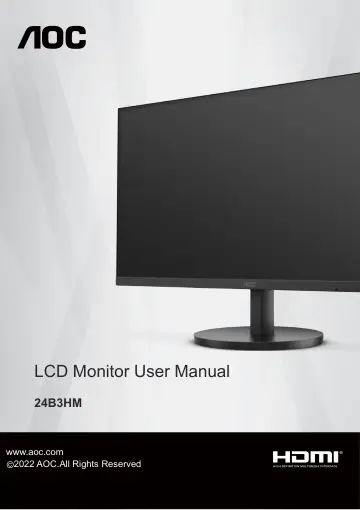
AOC 24B3HM (24B3HM/BK) user manual
- Type
- User manual
- Language
- English
- Pages
- 30
- Models
- 24B3HM/BK
Open PDFOpens the file on objects.icecat.biz.
Contents
- Safetyp. 3
National Conventions The following subsections describe notational conventions used in this document. Notes, Cautions, and Warnings Throughout this guide…
- National Conventionsp. 3
The following subsections describe notational conventions used in this document. Notes, Cautions, and Warnings Throughout this guide, blocks of text may be…
- Powerp. 4
The monitor should be operated only from the type of power source indicated on the label. If you are not sure of the type of power supplied to your home…
- Installationp. 5
Do not place the monitor on an unstable cart, stand, tripod, bracket, or table. If the monitor falls, it can injure a person and cause serious damage to this…
- Cleaningp. 6
Clean the cabinet regularly with a water-dampened, soft cloth. When cleaning use a soft cotton or microfiber cloth. The cloth should be damp and almost dry, do…
- Otherp. 7
If the product is emitting a strange smell, sound or smoke, disconnect the power plug IMMEDIATELY and contact a Service Center. Make sure that the ventilating…
- Setupp. 8
Contents in Box Power Cable Stand Base Monitor * Warranty Card * VGA Cable * HDMI Cable * * Quick Start Not all signal cables will be provided for all…
- Setup Stand & Basep. 9
Please setup or remove the base following the steps as below. Setup: Remove:
- Adjusting Viewing Anglep. 10
For optimal viewing it is recommended to look at the full face of the monitor, then adjust the monitor’s angle to your own preference. Hold the stand so you…
- Connecting the Monitorp. 11
Cable Connections In Back of Monitor and Computer: 1 3 4 2 1. HDMI 2. Analog (D-Sub 15-Pin VGA cable) 3. Earphone out 4. Power Connect to PC 1. Connect the…
- Wall Mountingp. 12
Preparing to Install An Optional Wall Mounting Arm. This monitor can be attached to a wall mounting arm you purchase separately. Disconnect power before this…
- Adaptive-Sync functiep. 13
1. Adaptive-Sync function is working with DP/HDMI 2. Compatible Graphics Card: Recommend list is as the below, also could be checked by visiting www.AMD.com •…
- Adjustingp. 14
Hotkeys 1 Source/Auto/Exit 2 Clear Vision/ 3 Image Ratio/Volume/ 4 Menu/Enter 5 Power Menu/Enter Press to display the OSD or confirm the selection. Power Press…
- Hotkeysp. 14
Source/Auto/Exit 2 Clear Vision/ 3 Image Ratio/Volume/ 4 Menu/Enter 5 Power Menu/Enter Press to display the OSD or confirm the selection. Power Press the Power…
- OSD Settingp. 16
Basic and simple instruction on the control keys. Luminance Image Setup Color Setup Picture Boost OSD Setup Game Setting Exit Extra Contrast 50 Brightness 90…
- LED Indicatorp. 25
Status LED Color Full Power Mode White Power Saving Orange
- Troubleshootp. 26
Problem & Question Possible Solutions Power LED Is Not ON Make sure the power button is ON and the Power Cord is properly connected to a grounded power outlet…
- Specificationp. 27
General Specification Panel Model name 24B3HM Driving system TFT Color LCD Viewable Image Size 60.5cm diagonal Pixel pitch 0.2745(H)mm x 0.2745(V)mm Display…
- General Specificationp. 27
Panel Model name 24B3HM Driving system TFT Color LCD Viewable Image Size 60.5cm diagonal Pixel pitch 0.2745(H)mm x 0.2745(V)mm Display Color 16.7M Colors…
- Preset Display Modesp. 28
- Pin Assignmentsp. 29
15-Pin Color Display Signal Cable Pin No. Signal Name Pin No. Signal Name 1 Video-Red 9 +5V 2 Video-Green 10 Ground 3 Video-Blue 11 Ground 4 Ground 12…
- Plug and Playp. 30
Plug & Play DDC2B Feature This monitor is equipped with VESA DDC2B capabilities according to the VESA DDC STANDARD. It allows the monitor to inform the host…