Loading manual…
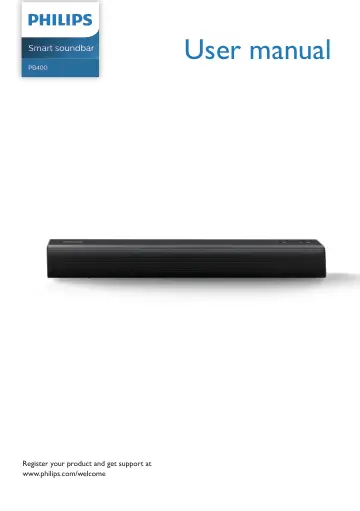
Philips TAPB400/10 user manual
- Type
- User manual
- Language
- English
- Pages
- 16
- Category
- Soundbars
- Models
- TAPB400/10
Open PDFOpens the file on objects.icecat.biz.
Contents
- 页 1p. 1
Smart soundbar User manual
- 页 2p. 2
Google Voice Assistant 13 Important safety instructions TV Play 14
- 页 3p. 3
- 页 4p. 4
- 页 5p. 5
5 6 4 5 6 POWER ON: Show default input source led indicator at first time, afterwards, goes to last status e.g. input source, led indicator, volume level and…
- 页 6p. 6
BLUETOOTH STATUS: Pairing mode: blue led fast flash Connected: solid blue Disconnect: blue led slow flash MIC MUTE STATUS: Micphone Mute: 4 RGB Orange AUX IN…
- 页 7p. 7
1. Button Switches the unit between ON and OFF modes. 2. Push to Talk Press to enable push to talk function. 3. Button Bluetooth Connection 4. VOL + Button…
- 页 8p. 8
AUX Analog audio input, for example, an MP3 player(3.5mm srereo). COAXIAL Connect to a COAXIAL audio output on the TV or a digital device. COAXIAL OPTICAL AUX…
- 页 9p. 9
- 页 10p. 10
Volume level status: One of four RGB led lit up from dim to solid brightness when volume level at 25% in 0.5s. Two of Four RGB leds lit up when volume level at…
- 页 11p. 11
TAPB400 to select Bluetooth mode. COAXIAL COAXIAL COAXIAL purple 1 COAXIAL TV play Connect your TV to play audio files or music. What you need press and hold…
- 页 12p. 12
STEP 2 STEP 3 STEP 1 Download and run the Google Home app on a Phone or tablet. Set up your device in the Google Home app. Google Home Google Play GET IT ON…
- 页 13p. 13
When the speaker power on, hold the VOL- and VOL+ button for 15s, the speaker will power off by itself and reset factory default settings. 35mm/1.378"
- 页 14p. 14
Bluetooth profiles: A2DP,AVRCP, GAVDP,DID Bluetooth version: 4.2 Frequescy band/Output power: 2402 - 2480 MHZ / ≤12 dBm 2x2.25" full range +2xL120*W50mm…
- 页 15p. 15
- 页 16p. 16
® The Bluetooth word mark and logos are registered trademarks owned by the Bluetooth SIG, Inc. and any use of such marks by MMD Hong Kong Holding Limited is…