Loading manual…
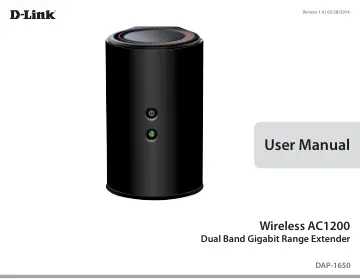
D-Link AC1200 (DAP-1650) user manual
- Type
- User manual
- Language
- English
- Pages
- 137
- Category
- Routers & Wi-Fi
- Models
- DAP-1650
Open PDFOpens the file on objects.icecat.biz.
Contents
- Prefacep. 2
- Product Overviewp. 6
Package Contents Note: Using a power supply with a different voltage rating than the one included with the DAP-1650 will cause damage and void the warranty for…
- Configurationp. 17
There are three options for configuring your DAP-1650: • WPS (Wi-Fi Protected Setup) for Extender Mode only • Web-based Configuration • QRS Mobile (Refer to…
- Wireless Securityp. 90
This section will explain the different types of security you can use to protect your wireless network from intruders. Please note that some security methods…
- Connecting to a Wireless Clientp. 92
WPS Button WPS (Wi-Fi Protected Setup) is a simple and secure way to connect your wireless devices with the DAP-1650. Most wireless devices such as wireless…
- Connect to a Wireless Networkp. 93
- Troubleshootingp. 105
This chapter provides solutions to problems that can occur during the installation and operation of the DAP-1650. Read the following descriptions if you are…
- Wireless Basicsp. 109
D-Link wireless products are based on industry standards to provide easy-to-use and compatible high-speed wireless connectivity within your home, business or…
- Networking Basicsp. 110
Check your IP address After you install your adapter, by default, the TCP/IP settings should be set to obtain an IP address from a DHCP server (i.e. wireless…
- Technical Specificationsp. 112
General Device Interfaces • 802.11 a/b/g/n/ac wireless LAN • Four 10/100/1000 Gigabit LAN ports • USB 2.0 port Antenna Type • 2x2 (2.4 GHz) and 2x2 (5 GHz)…
- Contacting Technical Supportp. 114
U.S. and Canadian customers can contact D-Link technical support through our web site or by phone. Before you contact technical support, please have the…
- GPL Code Statementp. 115
This D-Link product includes software code developed by third parties, including software code subject to the GNU General Public License (“GPL”) or GNU Lesser…
- Warrantyp. 130
Subject to the terms and conditions set forth herein, D-Link Systems, Inc. (“D-Link”) provides this Limited Warranty: • Only to the person or entity that…
- Registrationp. 137
Version 1.0 February 28, 2014 Product registration is entirely voluntary and failure to complete or return this form will not diminish your warranty rights.…