Loading manual…
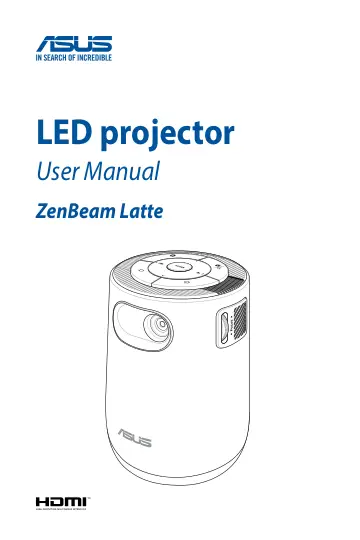
ASUS ZenBeam Latte L1 (90LJ00E5-B00070) user manual
- Type
- User manual
- Language
- English
- Pages
- 60
- Category
- Projectors
- Models
- ZenBeam Latte L1
Open PDFOpens the file on objects.icecat.biz.
Contents
- About this manualp. 5
This manual provides information about the hardware and software features of your LED projector through the following chapters: Chapter 1: Knowing your LED…
- Conventions used in this manualp. 6
To highlight key information in this manual, some text are presented as follows: IMPORTANT! This message contains vital information that must be followed to…
- Safety precautionsp. 7
Using your LED projector • Refer to the manual and take note of the safety instructions before operating your LED projector. • Follow the notes and warnings…
- Chapter 1: Knowing your LED projectorp. 11
- Featuresp. 12
Top view Power button Press this power button to turn on or turn off your LED projector. This LED indicator on this button indicates the following scenarios…
- LED projector remote controlp. 21
NOTE: Actual appearance may vary depending on model. Battery compartment The battery compartment allows you to install two (2) 3A batteries to power your LED…
- Chapter 2: Setting upp. 25
- Operating your LED projectorp. 26
This portable LED projector allows you to plug and play your devices so you can easily open multimedia files and hear audio straight from its built-in Harmon…
- Chapter 3: Using the onscreen display menup. 35
- Using your LED projector for the first timep. 36
Refer to the following steps when using your LED projector for the first time. NOTE: Ensure that your LED projector is connected to the power adapter before…
- Home page summaryp. 37
The home page of your LED projector allows you to access all the different functions of the LED projector. You can use the remote control or buttons on your…
- Using the Mirror functionp. 39
The mirror function allows you to project your mobile device’s screen to the projector. The setup process may differ slightly between Android and iOS mobile…
- Using the ZenBeam Latte as a Bluetooth speakerp. 41
The ZenBeam Latte can be used as Bluetooth speaker, featuring Harmon/ Kardon speakers. 1. Ensure Bluetooth is enabled and turned on for your mobile device and…
- Sending YouTube links to the LED projectorp. 42
NOTE: This function is only available for Android devices. You may send YouTube links to be watched when you are connected to a WiFi network. This allows you…
- Using the Aptoide TVp. 43
Aptoide TV is an alternative app store providing you with various apps for use with your LED projector. IMPORTANT! Not all apps are supported by this LED…
- Putting your LED projector in Standby modep. 46
To put your LED projector into Standby mode, press the power button on your LED projector or remote control, then select the Standby option.
- Powering off your LED projectorp. 47
Powering off by a short press on the power button You can power off the LED projector by pressing the power button on your LED projector or remote control…
- Appendicesp. 49
- Specifications for ZenBeam Latte LED projectorp. 56