Loading manual…
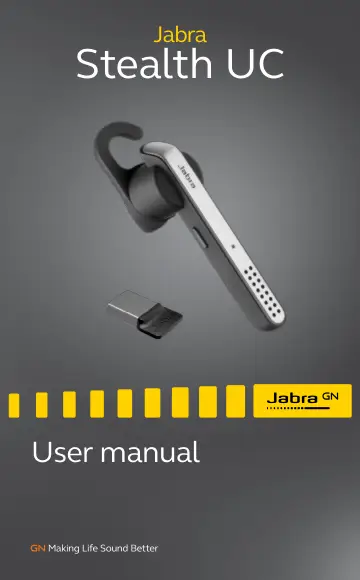
Jabra Stealth UC (5578-230-109) user manual
- Type
- User manual
- Language
- English
- Pages
- 21
- Category
- Headphones & headsets
- Models
- 5578-230-1095578-230-1105578-230-3095578-230-310OTE18
Open PDFOpens the file on objects.icecat.biz.
Contents
- 1. welcomep. 4
Thank you for using the Jabra Stealth UC. We hope you will enjoy it! JABRA STEALTH UC FEATURES Voice guidance Smart phone voice controls Battery and…
- 2. headset OVERVIEWp. 5
Answer/end button Voice & Mute button On/off switch Microphones micro-USB charging port Bluetooth indicator NFC zone Jabra Link 370 Bluetooth indicator Large…
- 3. how to wearp. 6
The headset can be worn on the left or right ear. Additional EarHooks and EarGels are available in the pack.
- 3.1 Change eargelsp. 7
Choose between 3 different ergo-designed EarGels for optimal fit and comfort (standard, left looped, and right looped).
- 3.2 attaching the earhookp. 8
The EarHook can be attached to the headset for a more secure fit. 1. Remove the EarGel from the headset. 2. Attach the EarHook. 3. Place the EarGel back on the…
- 4. how to charge the batteryp. 9
4.1 CHARGE USING PC 1. Pull back the charging cover on the headset to expose the micro-USB charging port. 2. Connect the headset to a USB port on your PC using…
- 4.1 charge using pcp. 9
1. Pull back the charging cover on the headset to expose the micro-USB charging port. 2. Connect the headset to a USB port on your PC using the supplied USB…
- 4.2 charge using car chargerp. 10
- 5. how to connectp. 11
5.1 CONNECT TO PC (USING THE JABRA LINK 370 BLUETOOTH ADAPTER) 1. Turn the headset on. 2. Plug the supplied Jabra Link 370 Bluetooth adapter into any USB port…
- 5.1 connect to pc (using the jabra link 360 bluetooth adapter)p. 11
- 5.2 connect to mobile devicep. 12
1. Turn the headset on. 2. Press and hold (3 secs) the Answer/end button on the headset until the Bluetooth indicator flashes blue, and connection mode is…
- 5.3 connect to mobile device (NFC)p. 13
1. Ensure that NFC is enabled on your mobile device. 2. Slowly slide the NFC zone of the headset against the NFC zone of the mobile device until a connection…
- 6. how to usep. 14
Answer/end button Voice & mute button On/off button
- 6.1 everyday callsp. 14
CALLS On/Off Slide the ON/OFF switch Answer/end call Tap the Answer/end button, or say ‘Answer’ Reject call Double-tap the Answer/ end button, or say ‘Ignore’…
- 6.2 automatic volume controlsp. 15
The headset intelligently adjusts the volume of your calls for the optimal sound quality, depending on your surrounding background noise. To manually adjust…
- 6.3 Multiple call handlingp. 16
The headset can accept and handle multiple calls simultaneously. FUNCTION ACTION End current call and answer incoming call Tap the Answer/ end button Switch…
- 7. softwarep. 17
7.1 JABRA CONNECT Jabra Connect is a smartphone app that enables GPS tracking of the headset, pairing assistance, and headset battery status. Jabra Connect is…
- 7.1 jabra assistp. 17
- 8. SUPPORTp. 18
8.1 FAQ View the comprehensive FAQ on jabra.com/stealthuc
- 8.1 faqp. 18
View the comprehensive FAQ on jabra.com/stealthuc
- 8.2 How to care for your headsetp. 18
Always store the headset with the power off and safely protected. Avoid storage at extreme temperatures (above 70°C/158°F or below -10°C/14°F). This can…
- 9. Technical specificationsp. 19
JABRA STEALTH UC SPECIFICATION Weight: under 7.9g Dimensions: L 64.9mm x W 15.3mm x H 24.9mm Microphones: Dual microphone technology Speaker: 11 mm dynamic…