Loading manual…
Thrustmaster WAE NEO (4780764) user manual
- Type
- User manual
- Language
- English
- Pages
- 12
- Category
- Speakers
- Models
- WAE NEO
Open PDFOpens the file on objects.icecat.biz.
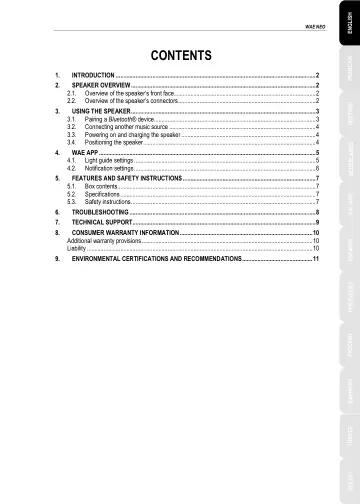
Contents
- 1. INTRODUCTIONp. 2
Thank you for purchasing the Hercules WAE wireless speaker. With your speaker, you can listen to your music from your iOS device or from any other device…
- 2. Speaker overviewp. 2
2.1. Overview of the speaker’s front face The speaker features the following buttons and indicators on its front face: (1) On/Off button and battery status…
- 2.1. Overview of the speaker’s front facep. 2
The speaker features the following buttons and indicators on its front face: (1) On/Off button and battery status indicator: - Stays lit up when speaker is…
- 2.2. Overview of the speaker’s connectorsp. 2
The speaker features the following buttons and connectors on its back face: (5) Bluetooth® pairing button (6) Auxiliary input connector (7) Power adapter…
- 3. USING THE SPEAKERp. 3
3.1. Pairing a Bluetooth® device "Pairing" means connecting a smartphone or a Bluetooth® device to your speaker, in order to establish communication. When two…
- 3.1. Pairing a Bluetooth® devicep. 3
"Pairing" means connecting a smartphone or a Bluetooth® device to your speaker, in order to establish communication. When two devices are paired, the relevant…
- 3.2. Connecting another music sourcep. 4
You can connect any other music source to your speaker: for example, an iPod, other type of MP3 player or a mobile phone. To do so: 1- Connect one end of a…
- 3.3. Powering on and charging the speakerp. 4
You will need to charge your speaker when you first remove it from its box. Connect the included micro USB/USB cable to the power adapter connector (7) on the…
- 3.4. Positioning the speakerp. 4
Indoors, the sound quality of the Hercules wireless speaker will vary according to its placement in the room. If you will be moving the speaker from room to…
- 4. WAE ApPp. 5
The WAE app is available free of charge from Apple’s App Store and Google Play. The app offers the following features: - An audio player allowing you to play…
- 4.1. Light guide settingsp. 5
The WAE app lets you customize the light guide’s effects. Party mode: the color and intensity automatically vary according to the beat of the music. Custom…
- 4.2. Notification settingsp. 6
In the WAE app, you can enable notifications to let you know when an alert is displayed on your phone: missed call, SMS, Facebook, Twitter or receipt of an…
- 5. Features and safety instructionsp. 7
5.1. Box contents 1 Hercules wireless speaker 1 USB power adapter 1 micro USB/USB cable User manual
- 5.1. Box contentsp. 7
1 Hercules wireless speaker 1 USB power adapter 1 micro USB/USB cable User manual
- 5.2. Specificationsp. 7
Maximum output power 15 W RMS Frequency response 80 Hz – 20 kHz Transmission technology Bluetooth® 3.0 and AD2P Dimensions 340 mm (W) X 140 mm (D) x 120 mm (H)…
- 5.3. Safety instructionsp. 7
Place your speaker on a flat surface, to avoid the risk of the speaker falling. - Never open up your speaker, as you risk damaging its internal components. -…
- 6. Troubleshootingp. 8
Problem Possible solutions The speaker won’t power on • The battery may be completely discharged. Plug the speaker into an electrical outlet to charge the…
- 7. TECHNIcal supportp. 9
If you encounter a problem with your product, please go to http://ts.hercules.com and select your language. From there you will be able to access various…
- 8. Consumer warranty informationp. 10
Worldwide, Guillemot Corporation S.A. (hereinafter “Guillemot”) warrants to the consumer that this Hercules product shall be free from defects in materials and…
- Additional warranty provisionsp. 10
In the United States of America and in Canada, this warranty is limited to the product’s internal mechanism and external housing. In no event shall Guillemot…
- Liabilityp. 10
of Guillemot and its subsidiaries (including for consequential damages) is limited to the repair or replacement of the Hercules product. If permitted under…
- 9. ENVIRONMENTAL CERTIFICATIONS AND RECOMMENDATIONSp. 11
At the end of its working life, this product should not be disposed of with standard household waste, but rather dropped off at a collection point for the…
- Please contact your local authorities for information on the collection point nearest youp. 11
Disposal information 1) If the product features the symbol of a crossed-out wheeled trash bin, this means that the product conforms to the standards of…