Loading manual…
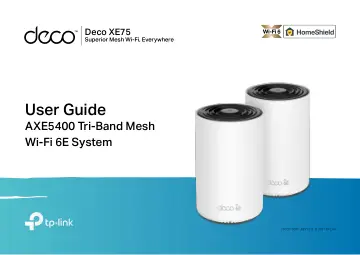
TP-Link AXE5400 Tri-Band Mesh Wi-Fi 6E System, 2-Pack (DECO XE75(2-PACK)) user manual
- Type
- User manual
- Language
- English
- Pages
- 56
- Category
- Routers & Wi-Fi
- Models
- DECO XE75(1-PACK)DECO XE75(2-PACK)DECO XE75(3-PACK)
Open PDFOpens the file on objects.icecat.biz.
Contents
- About This Guidep. 3
This guide provides a brief introduction to Whole Home Deco Mesh Wi-Fi 6 System and the Deco app, as well as regulatory information. Features available in Deco…
- Appearancep. 4
Each Deco has an LED that changes color according to its status, three RJ-45 Ethernet ports, a power slot, and a Reset button. See the explanation below: Tip…
- Set Up Your Decop. 5
The intuitive Deco app guides you through an easy setup process that gets each unit up and all your devices connected. Follow the steps below to set up your…
- Dashboardp. 8
After you successfully set up your Deco network, you will see the dashboard of the Deco app. Here you can get an overview of the network status, create…
- Add More Decosp. 9
After creating a Deco network, you can add more Decos to the network to expand the Wi-Fi coverage and manage them easily on your Deco app. 1. In Overview, tap…
- Check Deco Statusp. 10
In Overview, you can check the working status (online/offline) of all the Decos, check the details (speed/Deco's IP address & MAC address/connected clients) of…
- Set Main Decop. 12
After setup, you can replace the main Deco with any satellite Deco without resetting or reconfiguring the whole network. Follow the steps below to complete the…
- Remove/Reboot Decop. 13
You can reset your Deco to factory default settings or reboot your Deco to clear cache and enhance running performance easily in the Deco app. Follow the steps…
- Manage Connected Devicesp. 14
In Overview, you can mange your connected devices easily, such as changing the device name/type/location, enabling automation, Mesh Technology and high…
- Sort Devices By Locationsp. 18
After adding your devices to the Deco network, you can sort them by customized locations so that it will be more convenient and efficient to manage your…
- Create a New Networkp. 19
In the Deco app, you can create different Deco networks with your TP-Link ID and manage them conveniently from the Deco app with one account. You can also help…
- Change Network Ownerp. 21
You can change the network owner on the Deco app without resetting the whole Deco network. Follow the steps below.. In Overview, tap > > Change Network Owner.…
- Delete a Networkp. 22
You can delete a Deco network if you don't need it anymore. Deleting a Deco network will reset all Decos in this network to factory default settings. 2. Tap >…
- Add Smart Devicesp. 23
After creating a Deco network, you can add your smart home devices to the network and manage them conveniently on your Deco app. In Overview, tap + > SMART…
- Shortcutp. 24
lets you achieve an action with a simple tap. For example, if you want to power on your living room light at one tap, follow the steps below. Note: If you want…
- Automationp. 26
allows you to set interactions between your devices by adding triggers and actions. For example, when you get home and your smartphone is connected to the Deco…
- HomeShieldp. 30
Whether protecting your network from malicious attacks, managing your family's online activities, or prioritizing devices to get better performance, TP-Link…
- Wi-Fi Settingsp. 31
You can change the network name and password of your main network at any time and share the network easily with family and friends. Manage main network (e.g.…
- Guest Networkp. 33
You can create and share a separate network for guests to guarantee the security and privacy of your main network. Tap > Wi-Fi and enable Guest Network. Manage…
- Blacklistp. 35
Add devices to the blacklist to prevent the devices from accessing your network, ensuring the safety of your personal information shared in the network. Tap >…
- Upgrade Your Decop. 36
TP-Link is dedicated to improving product features and providing a better customer experience. An up-to-date firmware provides better and more stable network…
- Advanced Featuresp. 37
Additional features are available under the Advanced menu. You can modify WAN settings (IPv4 & IPv6), add IPv6 firewall rules, modify LAN IP, set up DHCP…
- WPSp. 42
2. Tap the WPS icon on Deco app and then on your client. 3. Your device has connected to the network successfully if shown as below. WPS WPS (Wi-Fi Protected…
- Managersp. 43
, and follow app instructions to add other TP-Link ID accounts as managers. Managers Add friends and family members to help manage your network. Each manager…
- Control Your Deco with Alexap. 45
Alexa Integration allows you to control your Deco using Amazon’s Alexa voice service. You can control and customize your home network by giving simple voice…
- Troubleshootingp. 46
Solutions to common problems during setup or use are provided here for reference. Follow the steps and the provided link below to diagnose and solve problems…
- Authenticationp. 47
FCC Compliance Information Statement Product Name: AXE5400 Tri-Band Mesh Wi-Fi 6E System Model Number: Deco XE75 Component Name Component Model I.T.E POWER…