Loading manual…
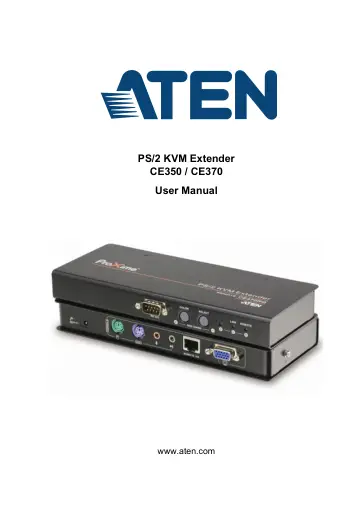
ATEN CE370-AT-G user manual
- Type
- User manual
- Language
- English
- Pages
- 43
- Category
- Docks & adapters
- Models
- CE370-AT-G
Open PDFOpens the file on objects.icecat.biz.
Contents
- EMC Informationp. 2
FEDERAL COMMUNICATIONS COMMISSION INTERFERENCE STATEMENT: This equipment has been tested and found to comply with the limits for a Class A digital device…
- RoHSp. 2
This product is RoHS compliant.
- User Informationp. 3
Online Registration Be sure to register your product at our online support center
- Online Registrationp. 3
Be sure to register your product at our online support center
- Telephone Supportp. 3
For telephone support, call one of the numbers below
- User Noticep. 3
All information, documentation, and specifications contained in this manual are subject to change without prior notification by the manufacturer. The…
- About this Manualp. 7
This User Manual is provided to help you get the most from your system. It covers all aspects of installation, configuration and operation. An overview of the…
- Conventionsp. 8
This manual uses the following conventions
- Product Informationp. 8
For information about all ATEN products and how they can help you connect without limits, visit ATEN on the Web or contact an ATEN Authorized Reseller. Visit…
- Chapter 1 Introductionp. 9
Overview The CE350 / CE370 is a PS/2 based KVM Extender with automatic signal compensation and RS-232 serial functionality allow access to a computer system…
- Overviewp. 9
The CE350 / CE370 is a PS/2 based KVM Extender with automatic signal compensation and RS-232 serial functionality allow access to a computer system from a…
- Featuresp. 11
Local and Remote Units connect at distances up to 300 m using Cat 5e cable Deskew Function (CE370 only) – automatically synchronizes the time delay of RGB…
- Requirementsp. 12
Consoles A VGA, SVGA, SXGA, UXGA, WUXGA, or multisync monitor capable of the highest resolution you will be using on any computer in the installation. Note…
- Componentsp. 14
CE350L / CE370L (Local Units) Front View No. Component Description 1 KVM Port Section If you are combining the CE350 / CE370 with a KVM switch, the PS/2 KVM…
- Chapter 2 Hardware Setupp. 19
Rack Mounting For convenience and flexibility, the CE350 / CE370 can be mounted on system racks. To rack mount a unit do the following: 1. Using the screws…
- Rack Mountingp. 19
For convenience and flexibility, the CE350 / CE370 can be mounted on system racks. To rack mount a unit do the following: 1. Using the screws provided in the…
- Installationp. 21
Grounding To prevent damage to your installation it is important that all devices are properly grounded. 1. Use two grounding wires to ground both units by…
- Chapter 3 Operationp. 27
Operating Modes The CE350 / CE370 PS/2 KVM Extender has three operating modes: Local, Auto, and Remote, as described in the table below: Note: The default…
- Operating Modesp. 27
The CE350 / CE370 PS/2 KVM Extender has three operating modes: Local, Auto, and Remote, as described in the table below: Note: The default operating mode is…
- Mode Selectionp. 28
The Operating Mode Pushbutton, located on the Local Unit’s front panel, controls the operating mode of the CE350 / CE370 PS/2 KVM Extender system. Pressing the…
- Picture Compensation and Deskewingp. 29
CE350R The CE350R supports automatic and manual video adjustment: Automatic adjustment The CE350R features ASC (Auto Signal Compensation), which…
- LED Displayp. 31
The CE350 / CE370 Local and Remote Units have front panel LEDs to indicate their operating status, as shown in the tables, following: CE350L / CE370L(Local…
- Appendixp. 35
Safety Instructions General Read all of these instructions. Save them for future reference. Follow all warnings and instructions marked on the device. Do…
- Safety Instructionsp. 35
General Read all of these instructions. Save them for future reference. Follow all warnings and instructions marked on the device. Do not place the…
- Technical Supportp. 38
is available both by email and online (with a browser over the web): International For online technical support – including troubleshooting, documentation…
- Specificationsp. 39
CE350 Function CE350L CE350R Connectors Console Ports Keyboard 1 x 6-pin Mini-DIN Female (Purple) Video 1 x HDB-15 Female (Blue) Mouse 1 x 6-pin Mini-DIN…
- Troubleshootingp. 41
Operation problems can be due to a variety of causes. The first step in solving them is to make sure that all cables are securely attached and seated…
- About SPHD Connectorsp. 42
This product uses SPHD connectors for its KVM and/or Console ports. We have specifically modified the shape of these connectors so that only KVM cables that we…
- Limited Warrantyp. 43
ATEN warrants its hardware in the country of purchase against flaws in materials and workmanship for a Warranty Period of two [2] years (warranty period may…