Loading manual…
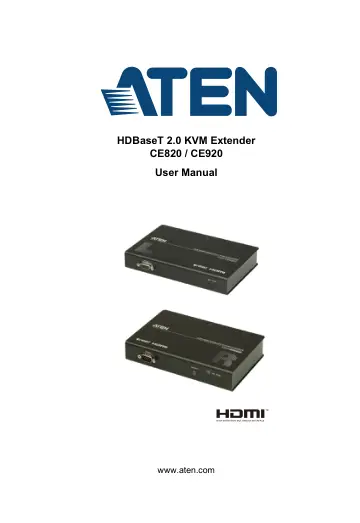
ATEN USB DisplayPort HDBaseT2.0 KVM Extender (CE920-AT-G) user manual
- Type
- User manual
- Language
- English
- Pages
- 33
- Category
- Docks & adapters
- Models
- CE920-AT-G
Open PDFOpens the file on objects.icecat.biz.
Contents
- EMC Informationp. 2
FEDERAL COMMUNICATIONS COMMISSION INTERFERENCE STATEMENT: This equipment has been tested and found to comply with the limits for a Class A digital device…
- RoHSp. 2
This product is RoHS compliant. © Copyright 2021 ATEN® International Co., Ltd. Released Date: 2021-01-14 ATEN and the ATEN logo are registered trademarks of…
- User Informationp. 3
Online Registration Be sure to register your product at our online support center
- Online Registrationp. 3
Be sure to register your product at our online support center
- Telephone Supportp. 3
For telephone support, call this number
- User Noticep. 3
All information, documentation, and specifications contained in this manual are subject to change without prior notification by the manufacturer. The…
- CE820 USB HDMI HDBaseT 2.0 KVM Extenderp. 4
- CE920 USB DisplayPort HDBaseT 2.0 KVM Extenderp. 5
- About this Manualp. 9
This User Manual is provided to help you get the most from your CE820/ CE920 HDBaseT 2.0 KVM Extender. It covers all aspects of installation, configuration…
- Conventionsp. 10
This manual uses the following conventions
- Product Informationp. 10
For information about all ATEN products and how they can help you connect without limits, visit ATEN on the Web or contact an ATEN Authorized Reseller. Visit…
- Chapter 1 Introductionp. 11
Overview The CE820/CE920 HDBaseT 2.0 KVM Extender can extend HDMI (CE820 only), DisplayPort (CE920 only), serial, Ethernet, and USB 2.0 signals up to 100…
- Overviewp. 11
The CE820/CE920 HDBaseT 2.0 KVM Extender can extend HDMI (CE820 only), DisplayPort (CE920 only), serial, Ethernet, and USB 2.0 signals up to 100 meters using a…
- Featuresp. 12
Supports HDBaseT™ 2.0 technology Extends video (HDMI for CE820 and DisplayPort for CE920), audio, USB, RS-232, and Ethernet signals via a single Cat6 / 6a…
- Requirementsp. 13
Consoles An HDMI monitor (CE820) or DisplayPort monitor (CE920) capable of the highest resolution you will be using on any computer in the installation. A…
- Componentsp. 15
CE820L Front and Rear View No. Component Description 1 RS-232 Serial Port Receives an RS-232 serial cable which connects to the local computer. 2 LEDs Indicate…
- Chapter 2 Hardware Setupp. 19
Stacking and Rack Mounting Stacking The CE820 / CE920 can be placed on any appropriate level surface that can safely support its weight plus the weight of its…
- Stacking and Rack Mountingp. 19
Stacking The CE820 / CE920 can be placed on any appropriate level surface that can safely support its weight plus the weight of its attached cables. To place…
- Installationp. 20
Grounding To prevent damage to your installation it is important that all devices are properly grounded. 1. Use a grounding wire to ground both units by…
- Chapter 3 Operationp. 25
Overview This chapter provides information on LED indicators and how to use HDBaseT Long Reach Mode. LED Display The local and remote units of CE820/CE920 have…
- Overviewp. 25
This chapter provides information on LED indicators and how to use HDBaseT Long Reach Mode. LED Display The local and remote units of CE820/CE920 have front…
- Appendixp. 27
Safety Instructions General Read all of these instructions. Save them for future reference. Follow all warnings and instructions marked on the device. …
- Safety Instructionsp. 27
General Read all of these instructions. Save them for future reference. Follow all warnings and instructions marked on the device. This product is for…
- Technical Supportp. 30
International For online technical support – including troubleshooting, documentation, and software updates: http://eservice.aten.com For telephone…
- Specificationsp. 31
Function CE820L CE820R Connectors Console Ports N/A 1 x HDMI Female (Black) 3 x USB Type-A Female 1 x Mini Stereo Jack Female (Green) 1 x Mini Stereo Jack…
- Limited Warrantyp. 33
ATEN warrants its hardware in the country of purchase against flaws in materials and workmanship for a Warranty Period of two [2] years (warranty period may…