Loading manual…
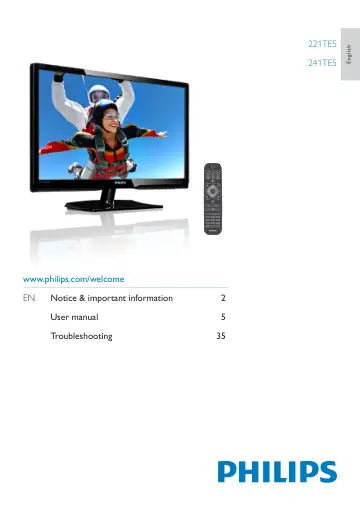
Philips LCD monitor 241TE5LB/00 user manual
- Type
- User manual
- Language
- English
- Pages
- 40
- Category
- Monitors
- Models
- 241TE5LB/00
Open PDFOpens the file on objects.icecat.biz.
Contents
- devicesp. 7
Congratulations on your purchase, and welcome to Philips! To fully benefit from the support that Philips offers, register your product at…
- Side connectorp. 8
2 3 a COMMON INTERFACE Slot for a Conditional Access Module (CAM). b USB For music, photo, and video. c HEADPHONE Audio output to your headphones. d HDMI…
- Use Philips EasyLinkp. 9
Get the most out of your HDMI-Consumer Electronic Control (CEC) compliant device with Philips EasyLink enhanced control features. To enable Philips EasyLink…
- Remote controlp. 12
1 2 20 18 15 17 16 4 3 5 6 7 8 9 10 11 12 13 19 a (Standby-On) • Switch the monitor to standby if the monitor is on. • Switch the monitor on if the monitor is…
- Switch channelsp. 14
Press CH +/-, or enter a channel number using the numeric buttons on the remote control. • Press the CH +/- button at the front of the monitor.
- Watch connected devicesp. 14
Note • Switch on the connected device before selecting it as a source on the monitor. To select from the SOURCE button TV SCART VGA HDMI 1 HDMI 2 1. Press…
- Adjust monitor volumep. 15
To turn up or down the volume • Press +/- on the remote control. • Press / buttons at the front of the monitor To mute or restore the muted sound • Press to…
- Soundp. 16
Output power (RMS): 3W x 2 • Sound Enhancement: Incredible Surround, Smart Sound • Sound System: Mono, Stereo, Nicam Stereo
- Conveniencep. 16
Ease of Installation: Plug & Play, Automatic Tuning System (ATS) • Ease of Use: On Screen Display, Program List, Side Control • Remote control type: Philips…
- Weightp. 17
Product with packaging (kg): • 221TE5: 4.85 kg • 241TE5: 5.36 kg • Product with stand (kg): • 221TE5: 3.58 kg • 241TE5: 3.91 kg • Product without stand (kg): •…
- Accessoriesp. 17
Included accessories: Power cord, Remote Control (with battery), Quick start guide, User Manual, VGA cable
- Supported monitor mountsp. 17
To mount the monitor, purchase a Philips monitor mount or a VESA-compatible monitor mount. To prevent damage to cables and connectors, be sure to leave a…
- Rename channelsp. 19
You can rename channels. The name appears when you select the channel. 1. While you watch TV, press OK. È È The channel matrix menu is displayed. 2. Select the…
- Rearrange channelsp. 20
After you install channels, you can rearrange the order in which they appear. 1. While you watch TV, press LIST or OK. È È The channel matrix menu is…
- Test digital receptionp. 20
You can check the quality and signal strength of digital channels. This allows you to reposition and test your antenna or satellite dish. 1. Press . 2. Select…
- Settingsp. 21
Change picture and sound settings to suit your preferences. You can apply pre-defined settings or change settings manually. Note • While you watch TV or…
- channelsp. 25
1. Press TEXT. È È The teletext screen appears. 2. Press OPTIONS. 3. Select [T.O.P. overview], then press OK. È È The T.O.P. overview appears. 4. Select a…
- Change languagep. 28
Depending on your broadcaster, you can change the audio language, subtitle language, or both, for a TV channel. Multiple audio languages, subtitles, or both…
- Update the TV softwarep. 29
Philips continuously tries to improve its products and we recommend that you update the TV software when updates are available. Ways to update the TV software…
- Start a TV demop. 31
You can use demonstrations to better understand the features of your TV. Some demos are not available on certain models. Available demos are displayed in the…
- General monitor issuesp. 37
The monitor does not switch on: • Disconnect the power cable from the power outlet. Wait for one minute then reconnect it. • Check that the power cable is…
- Computer connection issuesp. 38
The computer display on the monitor is not stable: • Check that a supported resolution and refresh rate is selected on the computer. • Set the monitor picture…
- Contact usp. 38
If you cannot resolve your problem, refer to the FAQs for this monitor at www.philips.com/ support. If the problem remains unresolved, contact Philips Consumer…