Loading manual…
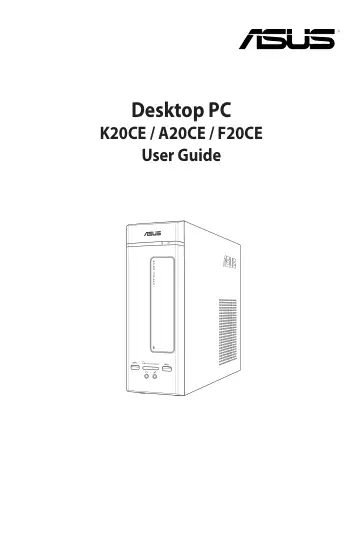
ASUS K20CE-NL002T (90PD01C1-M02140) user manual
- Type
- User manual
- Language
- English
- Pages
- 62
- Category
- Desktops & servers
- Models
- K20CE-NL002T
Open PDFOpens the file on images.icecat.biz.
Contents
- Noticesp. 5
ASUS Recycling/Takeback Services ASUS recycling and takeback programs come from our commitment to the highest standards for protecting our environment. We…
- Safety informationp. 9
Disconnect the AC power and peripherals before cleaning. Wipe the Desktop PC using a clean cellulose sponge or chamois cloth dampened with solution of…
- Chapter 1 Getting startedp. 13
- Welcome!p. 13
Thank you for purchasing the ASUS Desktop PC! The ASUS Desktop PC provides cutting-edge performance, uncompromised reliability, and usercentric utilities. All…
- Chapter 2 Connecting devices to your computerp. 21
- Connecting a USB storage devicep. 21
This desktop PC provides USB 3.0 and USB 3.1 ports on the front or rear panels. The USB ports allow you to connect USB devices such as storage devices. To…
- Chapter 3 Using your computerp. 27
Proper posture when using your Desktop PC When using your Desktop PC, maintaining the proper posture is necessary to prevent strain to your wrists, hands, and…
- Proper posture when using your Desktop PCp. 27
When using your Desktop PC, maintaining the proper posture is necessary to prevent strain to your wrists, hands, and other joints or muscles. This section…
- Chapter 4 Connecting to the Internetp. 31
- Wired connectionp. 31
Use an RJ-45 cable to connect your computer to a DSL/cable modem or a local area network (LAN). Connecting via a DSL/cable modem To connect via a DSL/cable…
- Chapter 5 Troubleshootingp. 37
Troubleshooting This chapter presents some problems you might encounter and the possible solutions. ? My computer cannot be powered on and the power LED on the…
- Troubleshootingp. 37
This chapter presents some problems you might encounter and the possible solutions. ? My computer cannot be powered on and the power LED on the front panel…
- Appendixp. 45
Windows® 8.1 User Manual
- Windows® 8.1 User Manualp. 45
E8607 First Edition August 2013 Copyright © ASUSTeK Computer Inc. All Rights Reserved Appendix Windows® 8.1 User Manual
- Starting for the first timep. 47
When you start your computer for the first time, a series of screens appear to guide you in configuring the basic settings of your Windows® 8.1 operating…
- ASUS contact informationp. 62
ASUSTeK COMPUTER INC. Address 15 Li-Te Road, Peitou, Taipei, Taiwan 11259 Telephone +886-2-2894-3447 Fax +886-2-2890-7798 E-mail info@asus.com.tw Web site…