Loading manual…
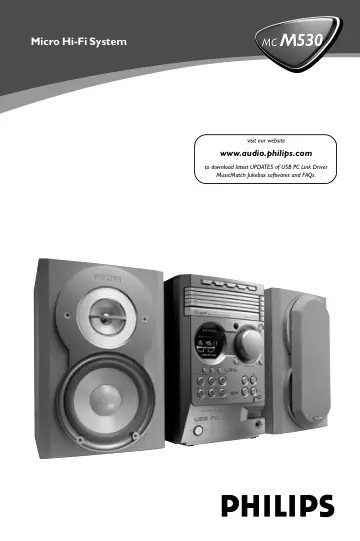
Philips Micro Hi-Fi System MCM530/22 user manual
- Type
- User manual
- Language
- English
- Pages
- 27
- Category
- Speakers
- Models
- MCM530/22
Open PDFOpens the file on objects.icecat.biz.
Contents
- Environmental informationp. 7
All unnecessary packaging has been omitted. We have tried to make the packaging easy to separate into three materials: cardboard (box), polystyrene foam…
- Quick setup guidep. 12
PC system requirement – Windows 98SE/ME/2000/XP – Intel Pentium MMX200 or higher – CD-ROM drive – USB port – Free hard disk space: 80 MB for the software
- PC system requirementp. 12
Windows 98SE/ME/2000/XP – Intel Pentium MMX200 or higher – CD-ROM drive – USB port – Free hard disk space: 80 MB for the software
- Software installationp. 12
Turn on your PC and insert the installer disc into your PC’s CD-ROM drive. 2 The installation guide will appear automatically. If it does not, go to the CD-ROM…
- Using MusicMatch softwarep. 13
To create a music library Add music files to My Music Library Add files to My Library by dragging and dropping audio tracks from anywhere in Windows, into the…
- Switching on/offp. 15
Switching to active mode •Press CD, TUNER, AUX or USB PC LINK
- Switching to active modep. 15
- Switching to Eco Power standby modep. 15
Press B. ➜ECO POWER button lights up. ➜The display screen will go blank. Switching to standby mode (view clock) •Press and hold B. ➜The clock is displayed.…
- Demonstration modep. 15
has been deactivated. Demonstration mode If the demonstration mode is active, whenever you switch the system to the Eco Power standby or standby mode, it will…
- Dim modep. 16
You can select the desired brightness for the display panel. •In any active mode, press DIM repeatedly to select DIM 1, DIM 2, DIM 3 or DIM OFF display mode.…
- Volume controlp. 16
Adjust MASTER VOLUME (or press VOL +/- on remote) to increase or decrease the sound level. ➜"VOL MUTE" is the minimum volume level and “0 dB” is the maximum…
- Playable discsp. 17
This system is able to play: – All pre-recorded audio CDs – All finalised audio CDR and audio CDRW discs – MP3-CDs (CD-ROMs with MP3 tracks) Loading discs…
- Playing an MP3 discp. 18
- Programming the disc tracksp. 19
Programming tracks is possible when playback is stopped. Up to 99 tracks can be stored in the memory in any order. IMPORTANT! It is only possible to programme…
- Tuning to radio stationsp. 20
Press TUNER to enter the tuner mode. To select another waveband (FM or MW), press TUNER again. 2 Press and hold à or á until the frequency indication starts to…
- Presetting radio stationsp. 20
You can store up to 40 preset radio stations in the memory, starting from FM and followed by MW bands. Notes: – The system will exit presetting mode if no…
- Selecting a preset radio stationp. 21
In tuner mode, press í or ë. ➜The preset number, radio frequency, and waveband are displayed
- Deleting a preset radio stationp. 21
Press and hold Çuntil “PRESET DELETED” is displayed. ➜The current preset radio station will be deleted. ➜All other preset radio stations with higher numbers…
- RDSp. 21
(Radio Data System) is a service that allows FM stations to show additional information. If you are receiving a RDS station, RDS and the station name are…
- Scrolling through RDS informationp. 21
Tuned to a RDS radio station from FM band, then press NEWS•RDS repeatedly to select the following information (if available): – Station name – Programme type…
- NEWSp. 22
You may set up the tuner in such a way that listening to CD or external source is interrupted by the NEWS of a RDS station. This only works if the RDS station…
- Switching on NEWS functionp. 22
In any active mode, press NEWS•RDS until "NEWS" is displayed. ➜NEWS is shown. ➜The system will scan the radio stations stored in the first five (5) preset and…
- Timer settingp. 23
The system can switch on to CD, TUNER or USB PC LINK mode automatically at a preset time, serving as an alarm to wake you up. IMPORTANT! – Before setting the…
- Listening to an external sourcep. 24
You can listen to the sound of the connected external device through your system’s speakers. 1 Use the red/white audio cables to connect the system’s AUX/CDR…