Loading manual…
Philips MP3 video player SA1ARA04K/02 user manual
- Type
- User manual
- Language
- English
- Pages
- 37
- Category
- Lighting
- Models
- WMP11
Open PDFOpens the file on objects.icecat.biz.
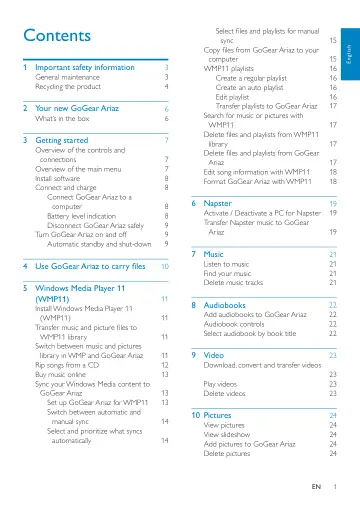
Contents
- 1 Important safety informationp. 3
General maintenance Caution To avoid damage or malfunction: • Do not expose the product to excessive heat • caused by heating equipment or direct sunlight. Do…
- 2 Your new GoGear Ariazp. 6
GoGear Ariaz allows you to play MP3 and WMA files • view video files • listen to FM radio • make recordings • What’s in the box Check that you have received…
- 3 Getting startedp. 7
Overview of the controls and connections a display b / press: scroll up/down press and hold: scroll up/ down at high speed c VOL press: increase/decrease the…
- 4 Use GoGear Ariaz to carry filesp. 10
GoGear Ariaz allows you to carry files in Windows Explorer. 1 With GoGear Ariaz connected to the USB port of the computer, open Windows Explorer. 2 Create…
- 5 Windows Media Player 11 (WMP11)p. 11
Install Windows Media Player 11 (WMP11) 1 Insert the supplied CD into the CD-ROM drive of your computer. 2 Follow the on-screen instructions to complete the…
- 6 Napsterp. 19
The Napster To Go online music service offers a variety of purchase and subscription models. The Napster Software supplied with GoGear Ariaz helps you search…
- 7 Musicp. 21
Listen to music 1 From the main menu, select to enter music mode. 2 Navigate the sub-menus to select your music. 3 Press to play. Press • to toggle between…
- 8 Audiobooksp. 22
GoGear Ariaz supports books in audio format. The use of this feature requires that you download the AudibleManager from audible. com. With the AudibleManager…
- 9 Videop. 23
Download, convert and transfer videos MediaConverter™ for Philips enables you to download videos from the Internet to • your PC at the click of a button.…
- 10 Picturesp. 24
View pictures GoGear Ariaz supports pictures in JPEG format. 1 From the main menu, select to enter picture mode. 2 Press / to move to next / previous picture.…
- 11 Radiop. 25
Listen to FM radio 1 From the main menu, select to enter radio mode. The earphones cable acts as FM • antenna. Manually tune a radio station While in mode, you…
- 12 Recordingsp. 26
Record from FM radio 1 From the main menu, select to enter radio mode. 2 Select radio station (preset). 3 Press OPTIONS to view options menu. 4 Select [Start…
- 13 Settingsp. 28
This is how you customize GoGear Ariaz: From the main menu, select to enter settings mode. In the menu, navigate as follows: 1 Press / to select an option. 2…
- 14 Update GoGear Ariazp. 30
GoGear Ariaz is controlled by an internal program called firmware. Newer versions of the firmware may have been released after you have purchased GoGear Ariaz.…
- 15 Troubleshootingp. 31
If GoGear Ariaz is not working properly or the display freezes, you can reset it without losing data: How do I reset GoGear Ariaz? Insert a pen tip or other…
- 16 Technical datap. 32
Power Power supply: 310 mAh Li-ion polymer internal rechargeable battery Play time¹ (music): 25 hours Software on CD-ROM Windows Media Player Philips Device…
- 17 Glossaryp. 34
A Album art Album art is a feature that displays the artwork (cover picture) of a music album. This display enables the user to quickly identify a music album.…