Loading manual…
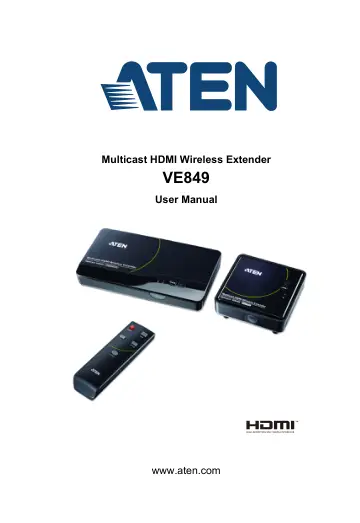
ATEN VE849T Multicast HDMI Wireless Transmitter (1080p@30m) user manual
- Type
- User manual
- Language
- English
- Pages
- 37
- Models
- VE849
Open PDFOpens the file on objects.icecat.biz.
Contents
- EMC Informationp. 2
FEDERAL COMMUNICATIONS COMMISSION STATEMENT: This equipment has been tested and found to comply with the limits for a Class B digital device, pursuant to part…
- RoHSp. 2
This product is RoHS compliant. © Copyright 2020 ATEN® International Co., Ltd. Manual Date: 2020-12-16 ATEN and the ATEN logo are registered trademarks of ATEN…
- User Informationp. 4
Online Registration Be sure to register your product at our online support center
- Online Registrationp. 4
Be sure to register your product at our online support center
- Telephone Supportp. 4
For telephone support, call this number
- User Noticep. 4
All information, documentation, and specifications contained in this manual are subject to change without prior notification by the manufacturer. The…
- About this Manualp. 8
This User Manual is provided to help you get the most from your system. It covers all aspects of installation, configuration and operation. An overview of the…
- Conventionsp. 9
This manual uses the following conventions
- Product Informationp. 9
For information about all ATEN products and how they can help you connect without limits, visit ATEN on the Web or contact an ATEN Authorized Reseller. Visit…
- Chapter 1 Introductionp. 11
Overview The VE849 Multicast HDMI Wireless Extender extends your HDMI display up to 30m* from the HDMI source to up to four separate receivers using wireless…
- Overviewp. 11
The VE849 Multicast HDMI Wireless Extender extends your HDMI display up to 30m* from the HDMI source to up to four separate receivers using wireless…
- Featuresp. 12
Wirelessly extend four HDMI displays up to 30m from the HDMI source* Setup five HDTVs and view HD content on five HDTVs simultaneously* Connect and…
- Requirementsp. 13
Source Device A source player with an HDMI Type A output connector Display Device A display device or receiver with an HDMI Type A input connector
- Componentsp. 14
VE849T Transmitter Front View VE849R Receiver Front View No. Component Description 1 Port LED The selected port LED (Blue) lights up to indicate that the port…
- Chapter 2 Hardware Setupp. 19
To install the VE849 Multicast HDMI Wireless Extender, refer to the installation diagrams below as you preform the following steps
- VE849T - Transmitter Installationp. 19
1. Use an HDMI cable to connect the HDMI source device(s) to the HDMI input port(s) on the rear of the VE849T. 2. Use an HDMI cable to connect the local HDMI…
- VE849R - Receiver Installationp. 20
1. Place the VE849R receiver up to 30m from the VE849T transmitter. 2. Use the HDMI cable included with this package to connect the HDMI video display (HDTV)…
- IR Cable Installationp. 20
, page 10). (Optional) 5. Repeat these steps to install up to 4 receivers (VE849R). IR Cable Installation The IR Blaster cable allows you to use a source…
- Pairingp. 22
To connect the transmitter to a receiver, power off all units and follow the instructions below to put both units in pairing mode. Only one receiver can be…
- Chapter 3 Operationp. 27
Overview This chapter explains how to operate the VE849 Multicast HDMI Wireless Extender, IR Blaster, IR Remote control and EDID management. Basic Operation…
- Overviewp. 27
This chapter explains how to operate the VE849 Multicast HDMI Wireless Extender, IR Blaster, IR Remote control and EDID management. Basic Operation After…
- Appendixp. 31
Safety Instructions General This product is for indoor use only. Read all of these instructions. Save them for future reference. Follow all warnings and…
- Safety Instructionsp. 31
General This product is for indoor use only. Read all of these instructions. Save them for future reference. Follow all warnings and instructions marked…
- Technical Supportp. 33
International For online technical support – including troubleshooting, documentation, and software updates: http://support.aten.com For telephone support…
- Specificationsp. 34
Function VE849T VE849R Video Input Interface 2 x HDMI Type A Female (Black) N/A Impedance 100 Ώ N/A Max. Distance 1.8 m N/A Video Output Interface 1 x HDMI…
- Troubleshootingp. 35
Status Description Power LED (Receiver) Source LED (Receiver) OSD Display (Receiver TV) Solution Power saving mode Transmitter and Receiver are plugged in but…
- Limited Warrantyp. 37
ATEN warrants its hardware in the country of purchase against flaws in materials and workmanship for a Warranty Period of two [2] years (warranty period may…