Loading manual…
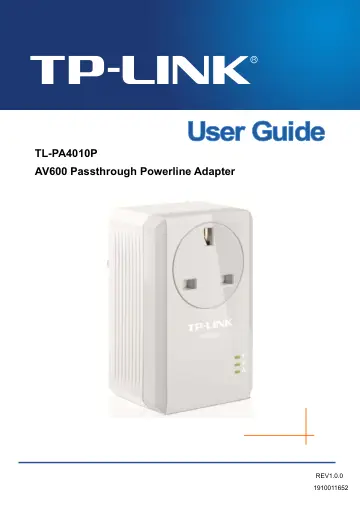
TP-Link Passthrough Powerline 600 Starter Kit (TL-PA4010P KIT V2.20 (UK)) user manual
- Type
- User manual
- Language
- English
- Pages
- 15
- Category
- Routers & Wi-Fi
- Models
- PA4010PTL-PA4010P KIT V2.20 (UK)TL-PA4016P KIT (UK) V1.2
Open PDFOpens the file on objects.icecat.biz.
Contents
- Chapter 1 Introductionp. 3
This device is an AV600 Passthrough Powerline Adapter which transforms your house’s existing electrical wiring into a ubiquitous networking infrastructure.…
- 1.1 System Requirementp. 3
a) At least two AC (100–240V~, 50/60Hz) power outlets with standard home power wiring b) A computer with the following: Operating System with TCP/IP…
- 1.2 Important Safety Instructionsp. 3
1. Do not open this product or attempt to service it; it may expose you to dangerous high voltage or other risks. 2. Do not operate this product near water. 3.…
- 1.3 Conventionsp. 4
The powerline adapter or AV600 Passthrough Powerline Adapter mentioned in this guide stands for TL-PA4010P AV600 Passthrough Powerline Adapter without any…
- 1.4 LED Indicatorp. 4
The LED indicator displays information about the device’s status. Power LED Powerline LED Ethernet LED
- 1.5 Physical Interfacep. 5
There are four physical interfaces on this Powerline Adapter. Integrated Interface Description Ethernet Port It is a 10/100Mbps Ethernet port on the adapter…
- Chapter 2 Connecting Mechanismp. 7
2.1 Introduction The Powerline Adapter supports up to 600Mbps data rate. With this high speed connection rate, this Powerline Adapter allows you to set up a…
- 2.1 Introductionp. 7
The Powerline Adapter supports up to 600Mbps data rate. With this high speed connection rate, this Powerline Adapter allows you to set up a high speed home…
- 2.2 Connection Instructionp. 7
To ensure the optimum performance of the Powerline Adapter and significantly improve the transmission capacity of the network, we recommend that you comply…
- 2.3 Hardware Connection – Computerp. 8
For those computers you wish to be networked by Powerline Adapter, each of the computers must be properly connected with a Powerline Adapter through an…
- 2.4 Hardware Connection – Internetp. 8
This section describes how to connect the Powerline Adapter into your existing ADSL broadband connection via ADSL Ethernet port. Follow the procedures…
- Chapter 3 Advanced Feature: How to Use the Pair Buttonp. 10
3.1 Pair (Secure with 128 bits-AES) The Homeplug AV standard uses 128-bit AES (Advanced Encryption Standard) to safely transmit data between powerline…
- 3.1 Pair (Secure with 128 bits-AES)p. 10
The Homeplug AV standard uses 128-bit AES (Advanced Encryption Standard) to safely transmit data between powerline adapters. For the powerline adapters to…
- 3.2 Set Up a Secure Powerline Networkp. 10
You can connect a number of devices on a powerline network, but you can only use the Pair button on two devices at a time. Create a secure Powerline network…
- 3.3 Resetp. 10
To reset the powerline adapter: Press and hold the Pair button for more than 15 seconds, and then release the button. You will see all
- Appendix: Troubleshootingp. 12
The Troubleshooting provides answers to common problems regarding the Powerline Adapter. 1. The Power LED does not light up. Ans. Check the following: 1. Make…