Loading manual…
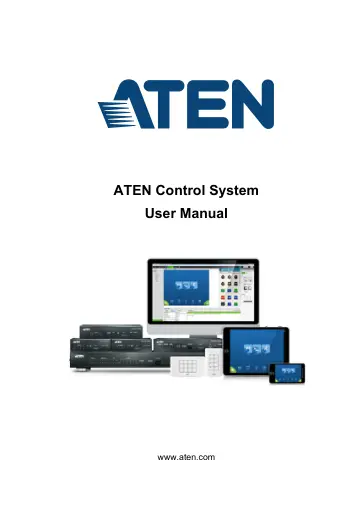
ATEN 12-BUTTON KEYPAD(EU,2 GANG) (VK112EU-AT) user manual
- Type
- User manual
- Language
- English
- Pages
- 212
- Models
- VK112EU-AT
Open PDFOpens the file on objects.icecat.biz.
Contents
- EMC Informationp. 2
FEDERAL COMMUNICATIONS COMMISSION INTERFERENCE STATEMENT This equipment has been tested and found to comply with the limits for a Class A digital device…
- Safetyp. 2
This product has been classified as Information Technology Equipment.
- User Informationp. 3
Online Registration Be sure to register your product at our online support center: Telephone Support For telephone support, call this number: User Notice All…
- About this Manualp. 10
This user manual is provided to help you get the most from your ATEN Control System. It covers all aspects of installation, configuration, and operation of the…
- Conventionsp. 11
This manual uses the following conventions: Monospaced Indicates text that you should key in. [ ] Indicates keys you should press. For example, [Enter] means…
- Terminologyp. 12
Product Information For information about all ATEN products and how they can help you connect without limits, visit ATEN on the Web or contact an ATEN…
- Product Informationp. 12
For information about all ATEN products and how they can help you connect without limits, visit ATEN on the Web or contact an ATEN Authorized Reseller. Visit…
- Chapter 1 Introductionp. 13
Overview The ATEN Control System, incorporating the ATEN Control Box/ATEN Control Pad (controller), the ATEN Configurator software (VK6000), and the ATEN…
- Chapter 2 Hardware Setupp. 23
ATEN Control Box Panel Components VK2100 Front View No. Component Description 1 Relay LED The LED lights green to indicate an active device connection (closed…
- Chapter 3 Browser Operationp. 65
Overview The Control Box can be configured over a standard TCP/IP connection via its built-in Graphical User Interface (GUI). Because it can be accessed from…
- Chapter 4 ATEN Configurator (VK6000)p. 79
Overview The ATEN Configurator (VK6000) is a GUI-based management tool that helps you set up and configure the connected hardware and create control interfaces…
- Chapter 5 Remote PC Control Using ControlAssistp. 171
Overview ATEN Control System allows you to control PowerPoint and media files at computers installed with ControlAssist, an application that grants control…
- Chapter 6 ATEN Control System Appp. 183
Overview The ATEN Control System App is a free app for mobile devices which can be downloaded from Google Play or the Apple App Store. The app allows you to…
- Appendixp. 199
Safety Instructions General Read all of these instructions. Save them for future reference. Follow all warnings and instructions marked on the device. …