Loading manual…
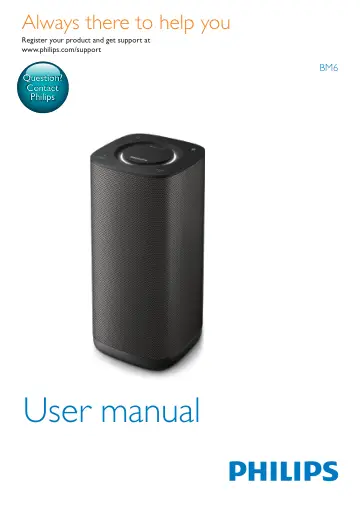
Philips wireless multiroom portable speaker BM6W/10 user manual
- Type
- User manual
- Language
- English
- Pages
- 22
- Category
- Speakers
- Models
- BM6W/10
Open PDFOpens the file on objects.icecat.biz.
Contents
- 1 Importantp. 4
Safety • Make sure that there is enough free space around the product for ventilation. • Only use attachments or accessories specified by the manufacturer. •…
- Safetyp. 4
Make sure that there is enough free space around the product for ventilation. • Only use attachments or accessories specified by the manufacturer. • Use only…
- 2 Your multiroom speakerp. 5
Congratulations on your purchase, and welcome to Philips! To fully benefit from the support that Philips offers, register your product at…
- Introductionp. 5
With the splash proof Philips izzylink speaker with a built-in battery, you can: • listen to music from your Bluetoothenabled devices even on the go; • listen…
- What's in the boxp. 5
Check and identify the contents of your package: • 1 x izzylink multiroom speaker • 1 x power adapter • Printed materials
- Overview of the main unitp. 6
a GROUP button/indicator • Press and hold to group with another izzylink-compatible multiroom speaker. • Press to exit or return to a group. • Flashes green…
- 3 Preparep. 8
Always follow the instructions in this chapter in sequence. If you contact Philips, you will be asked for the model and serial number of this apparatus. The…
- Connect power and turn onp. 8
Caution • Risk of product damage! Make sure that the power supply voltage corresponds to the voltage printed on the bottom of the speaker. • Risk of electric…
- 4 Playp. 10
Play in single mode Single mode: Single mode means that the speaker is not grouped with any other izzylinkcompatible multiroom speakers. Instead, it is used as…
- Play in single modep. 10
Single mode: Single mode means that the speaker is not grouped with any other izzylinkcompatible multiroom speakers. Instead, it is used as a standalone…
- Play in group modep. 11
Group mode: If you have more than one izzylink-compatible multiroom speakers, you can create a group and stream music to the group of speakers at the same…
- Control playp. 13
Note • Due to data buffering, you may experience some delay when you play/pause or adjust volume from the Bluetooth device. Control from the speaker • In…
- 5 Other featuresp. 14
Update firmware Warning • Always connect the speaker to AC power for firmware upgrade. • Never power off the speaker or unplug the USB mass storage device…
- Update firmwarep. 14
Warning • Always connect the speaker to AC power for firmware upgrade. • Never power off the speaker or unplug the USB mass storage device before completion of…
- Reset group statusp. 14
In case of any grouping issues, you can reset the speaker with a sharp object such as a needle. » » The speaker reboots automatically.
- 6 Product informationp. 15
Note • Product information is subject to change without prior notice
- Specificationsp. 15
Amplifier Rated Output Power 2X7.5W RMS at 1% THD ( Adapter Mode) 2X5W RMS at 1% THD (Battery Mode) Frequency Response 50 - 20000 Hz Signal to Noise Ratio…
- 7 Troubleshootingp. 16
Warning • Never remove the casing of this device. To keep the warranty valid, never try to repair the system yourself. If you encounter problems when using…
- 8 Understand meanings of LED statusp. 17
(1) Group indicator status Meaning Off The speaker is powered off. The speaker is in single mode. Flashing green The speaker is grouping with its master/slave.…
- 9 Noticep. 19
Hereby, Gibson Innovations declares that this product is in compliance with the essential requirements and other relevant provisions of Directive 1999/5/EC.…
- Written offerp. 19