Loading manual…
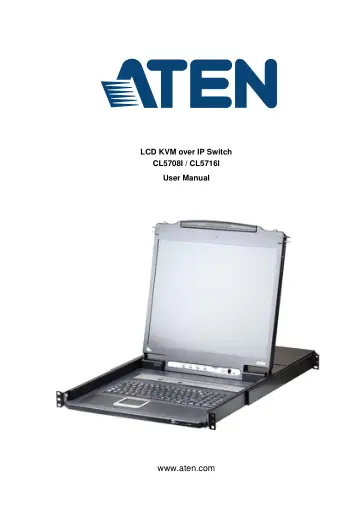
ATEN CL5708IM-ATA-2XK06A1G (CL5708IM-ATA-A1G) user manual
- Type
- User manual
- Language
- English
- Pages
- 261
- Category
- Docks & adapters
- Models
- CL5708ICL5708IM-ATA-A1GCL5716I
Open PDFOpens the file on objects.icecat.biz.
Contents
- Introductionp. 17
Overview The CL5708I / CL5716I SlideawayTM LCD KVM over IP Switch is an integrated LCD console and keyboard, video, and mouse (KVM) switch that offers secure…
- Hardware Setupp. 29
Overview For convenience and flexibility that allows mixing PS/2 and USB interfaces, the CL5708I / CL5716I design utilizes custom KVM cables that serve as…
- Basic Operationp. 37
Opening the Console The CL5708I / CL5716I's console is located under the top cover. To access the console, slide the console module out and raise the cover.…
- OSD Operationp. 47
OSD Overview The OSD (on-screen display) is a mouse and keyboard enabled, menu driven method to handle computer control and switching operations. All…
- Keyboard Port Operationp. 61
Hotkey Port Control Hotkey port control allows you to provide KVM focus to a particular computer directly from the keyboard. The CL5708I / CL5716I provides the…
- Logging Inp. 71
Overview KVM over IP switches can be accessed from an Internet browser; a Windows application (AP) program; and a Java application (AP) program. No matter…
- The User Interfacep. 81
Overview Once you have successfully logged in, the KVM over IP switch’s user interface Main Page appears. The look of the page varies slightly, depending on…
- Port Accessp. 113
Overview When you log in to the switch, the Port Access page comes up with the KVM over IP switch’s KVM Connections page displayed. Browser GUI AP GUI
- User Managementp. 137
Overview When you select the User Management tab the screen comes up with the Users page displayed: Browser GUI AP GUI
- Device Managementp. 147
KVM Devices Device Information The Device Management page opens with the top level KVM over IP switch selected in the Sidebar and the Device Information item…
- Logp. 171
Overview The KVM over IP switch logs all the events that take place on it. To view the contents of the log, click the Log tab. The device’s Log Information…
- Maintenancep. 175
Overview The Maintenance function is used to upgrade firmware; backup and restore configuration and account information; send terminal commands, ping network…
- Downloadp. 181
Overview Download is used to download stand-alone AP versions of the Windows Client, the Java Client, and the Log Server: Click the program you want to…
- Port Operationp. 183
Overview After you have successfully logged in (see Logging In, page 55), the KVM over IP switch opens to the Port Access tab’s Connections page: Browser GUI…
- The Log Serverp. 193
The Windows-based Log Server is an administrative utility that records all the events that take place on selected KVM over IP switches and writes them to a…
- Keyboard Emulationp. 203
Mac Keyboard The PC compatible (101/104 key) keyboard can emulate the functions of the Mac keyboard. The emulation mappings are listed in the table below.…
- The Firmware Upgrade Utilityp. 205
Introduction The purpose of the Windows-based firmware upgrade utility is to provide an automated process for upgrading the CL5708I / CL5716I’s Mainboard…
- Appendixp. 211
Safety Instructions General This product is for indoor use only. Read all of these instructions. Save them for future reference. Follow all warnings and…