Loading manual…
ATEN UC9020 user manual
- Type
- User manual
- Language
- English
- Pages
- 59
- Category
- Blenders, mixers & food processors
- Models
- UC9020
Open PDFOpens the file on objects.icecat.biz.
Contents
- StreamLIVE™ HD User Manualp. 1
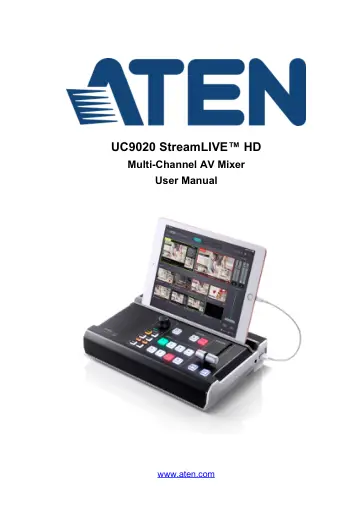
UC9020 StreamLIVE™ HD Multi-Channel AV Mixer User Manual www.aten.com
- Chapter 1. Introductionp. 9
Chapter 1 Introduction Overview The StreamLIVE™ HD is a portable, all-in-one, multi-channel audio/video mixer device that integrates a 1080p video capture…
- Chapter 2. Hardware Setupp. 15
Chapter 2 Hardware Setup Connecting the StreamLIVE™ HD Unit Follow the steps below to connect the StreamLIVE™ HD to an HDMI source and the host. Please review…
- Chapter 3. ATEN OnAir App & Side Menup. 19
Chapter 3 ATEN OnAir App & Side Menu ATEN OnAir App ATEN OnAir App acts as the central controller for UC9020. The App’s design is a control panel where you can…
- Chapter 4. ATEN OnAir App & Video Mixerp. 29
Chapter 4 ATEN OnAir App & Video Mixer Video Mixer The video mixer page allows you to preview videos of PRV and PGM, adjust MIC and PGM volume, scene selection…
- Chapter 5. ATEN OnAir App & Audio Mixerp. 39
Chapter 5 ATEN OnAir App & Audio Mixer Audio Mixer The components of the Audio Mixer deck page is shown below: No. Component Description 1 Audio Level Control…
- Chapter 6. ATEN OnAir App & Settingsp. 41
Chapter 6 ATEN OnAir App & Settings Settings The components of the Setting deck page is shown below:
- Chapter 7. Quick Live-Stream Setupp. 45
Chapter 7 Quick Live-Stream Setup Setup Before you start live-streaming, you need to setup your live-stream platform on the UC9020. Setting these up can be on…
- Chapter 8. Firmware Upgradep. 49
Chapter 8 Firmware Upgrade Preparing the USB Drive Before upgrading the unit’s firmware, prepare a USB drive and put the upgrade file into the USB drive with…
- Appendixp. 53
Safety Instructions General This product is for indoor use only. Read all of these instructions. Save them for future reference. Follow all warnings and…