Loading manual…
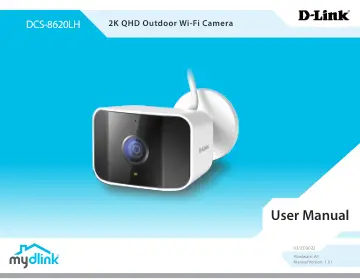
D-Link 2K QHD Outdoor Wi-Fi Camera (DCS-8620LH) user manual
- Type
- User manual
- Language
- English
- Pages
- 41
- Category
- Security cameras
- Models
- DCS-8620LH
Open PDFOpens the file on objects.icecat.biz.
Contents
- Product Overviewp. 4
Package Contents If any of the above items are missing, please contact your reseller. Note: Using a power supply with a different voltage rating than the one…
- Introductionp. 5
The DCS-8620LH is equipped with IP65 protection for outdoor usage and IR night vision for day and night surveillance. Compliant with ONVIF profile S and T, the…
- System Requirementsp. 5
Network Requirements • 802.11n/ac wireless network • An Internet connection • A router connected to your broadband modem mydlink™ App Requirements • iPhone®…
- Hardware Overviewp. 6
Front Status LED Refer to LED Behavior on page 5 for more information. Microphone Picks up sound near your camera. Light Sensor The IR-Cut removable filter…
- Installationp. 9
Please read all of the
- Safetyp. 9
and operating instructions before using device: • Do not open the device or attempt to repair it. • Do not submerge the device in liquid or attempt to clean it…
- Before You Beginp. 9
Plan the location of your camera: • Verify that your camera is electrically rated to operate with the power available in your location. • Connect the camera's…
- Wireless Installation Considerationsp. 10
The DCS-8620LH 2K QHD Outdoor Wi-Fi Camera lets you view video footage from virtually anywhere within the operating range of your wireless network. Keep in…
- mydlink App Camera Setupp. 11
Launch the mydlink app and create a new account or sign in to your existing account. Note: If you are asked about allowing the app to access your location or…
- Device Placementp. 13
To get the most out of your camera’s view and features, please take the following placement guidelines into consideration. Height: Place the camera 2 to 2.5…
- Mounting the Camerap. 14
Pole Mount 1/ Wrap the cable ties around the pole and thread them through the holes on the mounting bracket. Face the rough side of the cable ties to the pole…
- Using the mydlink Appp. 17
Controlling Your Device After setting up your DCS-8620LH 2K QHD Outdoor Wi-Fi Camera with a mydlink account in the mydlink app, you will be able to remotely…
- Controlling Your Devicep. 17
After setting up your DCS-8620LH 2K QHD Outdoor Wi-Fi Camera with a mydlink account in the mydlink app, you will be able to remotely access your camera through…
- Device Settingsp. 18
To access the Device Settings page: 1. Tap . 2. Tap Device Settings. 3. Tap the device you want to access its settings. The device page contains several…
- Troubleshootingp. 20
What do I do if my device is not working properly? Reset the device and reinstall it. To reset your device, use a paper clip to press and hold the recessed…
- Technical Specificationsp. 21
General Video Compression • H.265 & H.264 Max. Resolution • 4 Megapixel (QHD) Max. Frame • 1440p (2560 x 1440) @ 25fps Image Sensor • 1/3” progressive CMOS…
- Regulatory Informationp. 23
Federal Communication Commission Interference Statement This equipment has been tested and found to comply with the limits for a Class B digital device…