Loading manual…
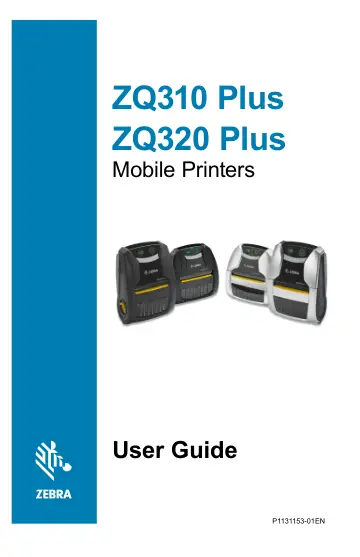
Zebra ZQ320 Plus (ZQ32-A0W03RE-00) user manual
- Type
- User manual
- Language
- English
- Pages
- 98
- Category
- Printers
- Models
- ZQ310ZQ320ZQ32-A0W03RE-00
Open PDFOpens the file on objects.icecat.biz.
Contents
- Proprietary Statementsp. 4
IP Copyright ZEBRA and the stylized Zebra head are trademarks of Zebra Technologies Corporation, registered in many jurisdictions worldwide. All other…
- Document Conventionsp. 5
Graphic icons are used throughout the guide. These icons and their associated meanings are described in the following list. Caution • Warns you of the…
- Introduction to the ZQ300 Plus Seriesp. 6
This guide gives you the information you need to operate the ZQ320 Plus and ZQ310 Plus printers. These printers feature different models for various vertical…
- Unpacking and Inspectionp. 7
Check all exterior surfaces for damage. • Open the media cover (go to “Loading the Media” on page 29) and inspect the media compartment for damage. In case…
- Reporting Damagep. 7
If you discover shipping damage: • Immediately notify and file a damage report with the shipping company. Zebra Technologies Corporation is not responsible for…
- ZQ300 Plus Series Technologyp. 8
The ZQ300 Plus Series printers use several technologies unique to this line and/or made popular in other Zebra Mobile printer lines. PowerPrecision+ (PP+)…
- Features Overviewp. 11
- Getting Ready to Printp. 12
Battery Installing/Removing Battery and Battery Tape Insulator Important • Batteries are shipped in Sleep mode to preserve their maximum capacity while in…
- Batteryp. 12
Installing/Removing Battery and Battery Tape Insulator Important • Batteries are shipped in Sleep mode to preserve their maximum capacity while in storage…
- Installing/Removing Battery & Battery Tape Insulatorp. 12
- Battery Tape Insulatorp. 13
The ZQ300 Plus Series battery is installed in the printer during shipping and protected by a battery tape insulator. The tape insulator covers the battery…
- Battery Safetyp. 15
Caution • Avoid accidental short circuiting of any battery. Allowing battery terminals to contact conductive material will create a short circuit which could…
- Charger Safetyp. 15
Do not place any charger in locations where liquids or metallic objects may be dropped into the charging bays.
- Charging the Batteryp. 16
Figure 6 • AC-to-USB Adapter 1. Connect the USB connector to the AC Adapter. 2. Plug the AC Adapter into an AC receptacle. 3. Rotate the rubber door on the…
- Designing Labelsp. 23
The following examples provide guidelines for designing labels for the ZQ300 Plus Series printers, specifically for Gap Media, Black Bar Media and Journal…
- Using Pre-Printed Receipt Mediap. 24
ZQ300 Plus Series printers support alignment of pre-printed receipts by using the out of paper sensor located near the printhead.
- Loading the Mediap. 29
1. Press the latch release button forward to open the printer’s media cover. 2. Insert the roll of media into the media compartment in the orientation shown.…
- Media Spacersp. 30
Zebra provides media spacer kits for the ZQ320 Plus (p/n KIT-MPM-MDSPR5-01) and ZQ310 Plus (p/n KIT-MPM- MD2SPR5-01) that allow the printers to support 76.2 mm…
- Operator Controlsp. 31
The ZQ310 Plus and ZQ320 Plus printers feature a control panel with buttons for the Power On/Off and Media Feed functions, and a backlit user interface for…
- Forced Download Description and LED Behaviorp. 36
If for some reason the printer becomes inoperable, or you want to put the printer into Forced Download mode, follow the steps below. 1. Press and hold FEED. 2.…
- Power Save Modep. 38
refers to a state the printer enters when the battery is under duress. Under normal operation with a healthy fully charged battery, the printer loads the…
- Draft Modep. 38
printing is optimized for printing receipts comprised of text only with no reverse image, black fill or barcodes present. Draft mode is designed to operate at…
- Verify the Printer Is Workingp. 39
Before you connect the ZQ300 Plus Series printer to your computer, mobile computer or wireless LAN, make sure that the printer is in proper working order. You…
- Cable Communicationp. 40
Caution • The printer should be turned off before connecting or disconnecting the communications cable. The standard cable connection for the ZQ300 Plus Series…
- Installing Drivers and Connecting to a Windows-Based Computerp. 42
ZQ310 Plus and ZQ320 Plus User Guide Installing Drivers and Connecting to a Windows- Based Computer To use your printer with a Microsoft Windows-based…
- What to Do If You Forget to Install Printer Drivers Firstp. 49
”. What to Do If You Forget to Install Printer Drivers First If you plug in your Zebra printer before installing the drivers, the printer displays as an…
- Connect to a Phone or Tabletp. 52
Download the free Zebra Printer Setup Utility app for your device. • Android devices • Apple devices The applications support the following types of…
- Zebra Printer Setup Utilitiesp. 52
Before configuring your printer for use on a Local Area Network (LAN), you need some basic information to enable you to establish the network configuration for…
- Wireless Communications with Bluetoothp. 60
Bluetooth is a worldwide standard for the exchange of data between two devices via radio frequencies. This form of pointtopoint communication does not require…
- Bluetooth Networking Overviewp. 60
Each Bluetooth enabled ZQ300 Plus Series printer is identified by a unique Bluetooth Device Address (BDADDR). This address resembles a MAC address whereby the…