Loading manual…
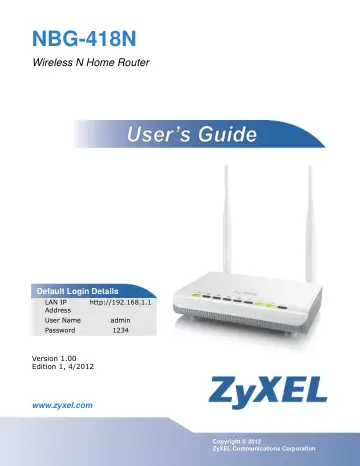
Zyxel NBG-418N user manual
- Type
- User manual
- Language
- English
- Pages
- 224
- Category
- Routers & Wi-Fi
- Models
- NBG-418N
Open PDFOpens the file on objects.icecat.biz.
Contents
- User’s Guidep. 11
- Introductionp. 13
1.1 Overview The NBG-418N extends the range of your existing wired network without additional wiring, providing easy network access to mobile users. Your can…
- The Web Configuratorp. 17
2.1 Overview This chapter describes how to access the NBG-418N Web Configurator and provides an overview of its screens. The Web Configurator is an HTML-based…
- Connection Wizardp. 21
3.1 Wizard Setup This chapter provides information on the wizard setup screens in the Web Configurator. The Web Configurator’s wizard setup helps you configure…
- Modesp. 35
4.1 Overview You can set up the NBG-418N with other IEEE 802.11b/g/n compatible devices in different device modes. Note: Choose your device mode carefully to…
- Tutorialsp. 57
5.1 Overview This chapter provides tutorials for your NBG-418N as follows: • How to Connect to the Internet from an AP • Configure Wireless Security Using WPS…
- Technical Referencep. 65
- Wireless LANp. 67
6.1 Overview This chapter discusses how to configure the wireless network settings in your NBG-418N. See the appendices for more detailed information about…
- WANp. 85
7.1 Overview This chapter discusses the NBG-418N’s WAN screens. Use these screens to configure your NBG- 418N for Internet access. A WAN (Wide Area Network)…
- LANp. 93
8.1 Overview This chapter describes how to configure LAN settings. A Local Area Network (LAN) is a shared communication system to which many computers are…
- DHCP Serverp. 97
9.1 Overview DHCP (Dynamic Host Configuration Protocol, RFC 2131 and RFC 2132) allows individual clients to obtain TCP/IP configuration at start-up from a…
- Network Address Translationp. 101
10.1 Overview This chapter discusses how to configure NAT on the NBG-418N. NAT (Network Address Translation - NAT, RFC 1631) is the translation of the IP…
- Dynamic DNSp. 109
11.1 Overview Dynamic Domain Name Service (DDNS) services let you use a fixed domain name with a dynamic IP address. Users can always use the same domain name…
- Firewallp. 111
12.1 Overview Use these screens to enable and configure the firewall that protects your NBG-418N and your LAN from unwanted or malicious traffic. Enable the…
- Remote Managementp. 115
13.1 Overview This chapter provides information on the Remote Management screens. Remote management allows you to determine which services/protocols can access…
- Universal Plug-and-Play (UPnP)p. 119
14.1 Overview This chapter introduces the UPnP feature in the Web Configurator. Universal Plug and Play (UPnP) is a distributed, open networking standard that…
- Systemp. 125
15.1 Overview This chapter provides information on the System screens. See the chapter about wizard setup for more information on the next few screens. 15.2…
- Logsp. 129
16.1 Overview This chapter contains information about configuring general log settings and viewing the NBG- 418N’s logs. The Web Configurator allows you to…
- Toolsp. 131
17.1 Overview This chapter shows you how to upload a new firmware, upload or save backup configuration files and restart the NBG-418N. 17.2 What You Can Do •…
- Sys OP Modep. 137
18.1 Overview The Sys OP Mode (System Operation Mode) function lets you configure select the device operation mode: Router, Access Point, Client Bridge or…
- Languagep. 139
19.1 Language Screen Use this screen to change the language for the Web Configurator display. Click the language you prefer. The Web Configurator language…
- Troubleshootingp. 141
This chapter offers some suggestions to solve problems you might encounter. The potential problems are divided into the following categories. • Power, Hardware…
- IP Addresses and Subnettingp. 147
This appendix introduces IP addresses and subnet masks. IP addresses identify individual devices on a network. Every networking device (including computers…
- Pop-up Windows, JavaScripts and Java Permissionsp. 157
In order to use the web configurator you need to allow: • Web browser pop-up windows from your device. • JavaScripts (enabled by default). • Java permissions…
- Setting Up Your Computer’s IP Addressp. 167
Note: Your specific NBG-418N may not support all of the operating systems described in this appendix. See the product specifications for more information about…
- Wireless LANsp. 195
Wireless LAN Topologies This section discusses ad-hoc and infrastructure wireless LAN topologies. Ad-hoc Wireless LAN Configuration The simplest WLAN…
- Common Servicesp. 209
The following table lists some commonly-used services and their associated protocols and port numbers. For a comprehensive list of port numbers, ICMP type/code…
- Legal Informationp. 213
Copyright Copyright © 2012 by ZyXEL Communications Corporation. The contents of this publication may not be reproduced in any part or as a whole, transcribed…