Loading manual…
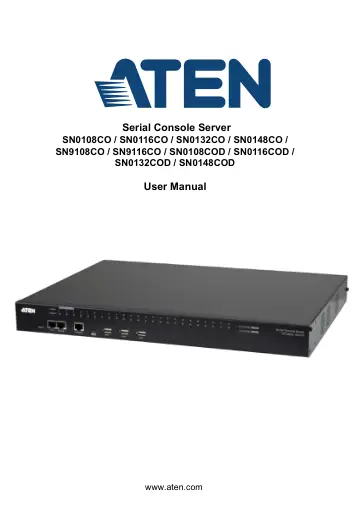
ATEN Serial Console Server (SN0108CO) user manual
- Type
- User manual
- Language
- English
- Pages
- 176
- Category
- Desktops & servers
- Models
- SN0108COSN0116COSN0132COSN0148COSN9108COSN9116CO
Open PDFOpens the file on objects.icecat.biz.
Contents
- Serial Console Server User Manualp. 1
- Chapter 1. Introductionp. 15
Chapter 1 Introduction Overview The SN01xxCO and SN91xxCO Series features Cisco pin-outs and autosensing DTE/DCE function, providing a direct connection to…
- Chapter 2. Hardware Setupp. 35
Chapter 2 Hardware Setup Before You Begin Stacking and Rack Mounting The Serial Console Server can be stacked on the desktop or rack mounted in a variety of…
- Chapter 3. Super Administrator Setupp. 47
Chapter 3 Super Administrator Setup Overview This chapter discusses the administrative procedures that the Super Administrator performs to get the Serial…
- Chapter 4. The User Interfacep. 55
Chapter 4 The User Interface Overview Once you have successfully logged in, the Serial Console Server’s Main Page appears. The look of the page varies…
- Chapter 5. Port Operating Modesp. 69
Chapter 5 Port Operating Modes Overview To cover a broad range of serial applications, the Serial Console Server’s COM ports support several port operating…
- Chapter 6. Port Accessp. 73
Chapter 6 Port Access Overview Once you have logged in from a web browser, the Main Screen appears with the Port Access - Connections page displayed: The…
- Chapter 7. User Managementp. 95
Chapter 7 User Management Overview When you select the User Management tab the screen comes up with the Accounts page displayed: The page is organized into two…
- Chapter 8. Device Managementp. 111
Chapter 8 Device Management Devices The Device Management page opens with the top level Serial Console Server selected in the Sidebar, with all its ports…
- Chapter 9. Logp. 143
Chapter 9 Log Overview The Serial Console Server logs all the events that take place on it. To view the contents of the log, click the Log tab. The device’s…
- Chapter 10. Maintenancep. 147
Chapter 10 Maintenance Overview The Maintenance function is used to upgrade firmware; backup and restore configuration and account information; and restore…
- Appendixp. 155
Safety Instructions General This product is for indoor use only. Read all of these instructions. Save them for future reference. Follow all warnings and…