Loading manual…
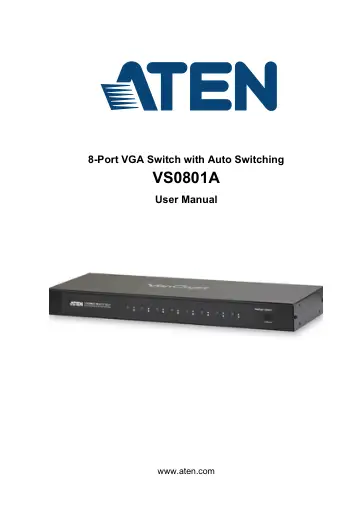
ATEN 8-Port VGA Switch with Auto Switching (VS0801A) user manual
- Type
- User manual
- Language
- English
- Pages
- 51
- Category
- Docks & adapters
- Models
- VS0801A
Open PDFOpens the file on objects.icecat.biz.
Contents
- FCC Informationp. 2
FEDERAL COMMUNICATIONS COMMISSION INTERFERENCE STATEMENT: This equipment has been tested and found to comply with the limits for a Class A digital device…
- RoHSp. 2
This product is RoHS compliant.
- User Informationp. 3
Online Registration Be sure to register your product at our online support center
- Online Registrationp. 3
Be sure to register your product at our online support center
- Telephone Supportp. 3
For telephone support, call this number
- User Noticep. 3
All information, documentation, and specifications contained in this manual are subject to change without prior notification by the manufacturer. The…
- About this Manualp. 7
This User Manual is provided to help you get the most from your system. It covers all aspects of installation, configuration and operation. An overview of the…
- Conventionsp. 8
This manual uses the following conventions: Monospaced Indicates text that you should key in. [ ] Indicates keys you should press. For example, [Enter] means…
- Product Informationp. 9
For information about all ATEN products and how they can help you connect without limits, visit ATEN on the Web or contact an ATEN Authorized Reseller. Visit…
- Chapter 1 Introductionp. 11
Overview With eight VGA/Audio input ports, the VS0801A 8-Port VGA Switch with Audio allows you to conveniently display the video output of eight separate…
- Overviewp. 11
With eight VGA/Audio input ports, the VS0801A 8-Port VGA Switch with Audio allows you to conveniently display the video output of eight separate computer…
- Featuresp. 12
Displays the video output of up to eight computers on a single VGA display Quick and easy switching between VGA/Audio sources via front panel pushbuttons…
- Requirementsp. 13
Source Device The following equipment must be installed on the source device or computer that acts as a source of VGA/Audio content: VGA video card with…
- Componentsp. 14
VS0801A Front View No. Component Function 1 Port Selection Pushbuttons Pressing a port selection pushbutton routes the VGA/Audio source from the corresponding…
- Chapter 2 Hardware Setupp. 17
Stacking and Rack Mounting The VS0801A can be stacked on a desktop or rack mounted in a variety of ways. The following sections take you through the procedures…
- Stacking and Rack Mountingp. 17
The VS0801A can be stacked on a desktop or rack mounted in a variety of ways. The following sections take you through the procedures for each method. Stacking…
- Installationp. 23
of the VS0801A is simply a matter of plugging in the appropriate cables. To install the switch, refer to the installation diagram on page 14 as you perform the…
- Chapter 3 Operationp. 25
Overview The VS0801A 8-Port VGA Switch with Audio offers easy operational control via Front Panel Pushbuttons, Remote Control, Port Switching VGA Cable, or…
- Overviewp. 25
The VS0801A 8-Port VGA Switch with Audio offers easy operational control via Front Panel Pushbuttons, Remote Control, Port Switching VGA Cable, or RS-232…
- RS-232 Serial Interfacep. 28
The VS0801A’s built-in bi-directional RS-232 serial interface allows system control through a high-end controller, PC, and/or home automation / home theater…
- Powering Off and Restartingp. 39
If you power off the VS0801A, follow these steps before powering it on again: 1. Power off the attached devices. 2. Unplug the power adapter cable from the…
- Chapter 4 The Firmware Upgrade Utilityp. 41
Introduction The purpose of the Windows-based Firmware Upgrade Utility is to provide an easy process for upgrading the VS0801A. The program comes as part of a…
- Introductionp. 41
The purpose of the Windows-based Firmware Upgrade Utility is to provide an easy process for upgrading the VS0801A. The program comes as part of a Firmware…
- Upgrade Failedp. 45
If the Upgrade Succeeded screen doesn't appear, it means that the upgrade failed to complete successfully. See the next section, Firmware Upgrade Recovery, for…
- Appendixp. 47
Safety Instructions General Read all of these instructions. Save them for future reference. Follow all warnings and instructions marked on the device. Do…
- Safety Instructionsp. 47
General Read all of these instructions. Save them for future reference. Follow all warnings and instructions marked on the device. Do not place the…
- Technical Supportp. 49
International For online technical support – including troubleshooting, documentation, and software updates: http://support.aten.com For telephone support…
- Specificationsp. 50
Function VS0801A Display Connections 1 Connectors Device Video In 8 x HDB-15 Male (Blue) Audio In 8 x Stereo Jack Female (Green) Display Video Out 1 x HDB-15…
- Limited Warrantyp. 51
ATEN warrants its hardware in the country of purchase against flaws in materials and workmanship for a Warranty Period of two [2] years (warranty period may…