Loading manual…
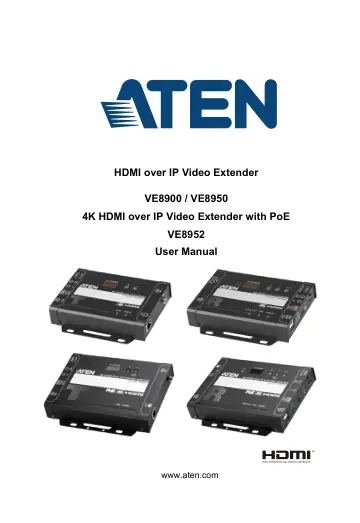
ATEN 4K HDMI over IP Transmitter with PoE (VE8952T-AT-G) user manual
- Type
- User manual
- Language
- English
- Pages
- 114
- Category
- Home cinema
- Models
- VE8900VE8950VE8952VE8952R-AT-GVE8952T-AT-G
Open PDFOpens the file on objects.icecat.biz.
Contents
- EMC Informationp. 2
FEDERAL COMMUNICATIONS COMMISSION INTERFERENCE STATEMENT: This equipment has been tested and found to comply with the limits for a Class A digital device…
- About This Manualp. 3
This User Manual is provided to help you get the most from your VE8900 / VE8950 / VE8952 device and the ATEN VE Manager. It covers all aspects of installation…
- Conventionsp. 4
This manual uses the following conventions
- Product Informationp. 4
For information about all ATEN products and how they can help you connect without limits, visit ATEN on the Web or contact an ATEN Authorized Reseller. Visit…
- User Informationp. 5
Online Registration Be sure to register your product at our online support center: Telephone Support For telephone support, call this number: User Notice All…
- Chapter 1 Introduction and Getting Startedp. 11
Overview The ATEN VE8900 / VE8950 / VE8952 Video over IP Extenders deliver visually lossless 1080p (VE8900) / 4K AV (VE8950 / VE8952) signals with low latency…
- Chapter 2 Hardware Setupp. 19
Components VE8900T / VE8950T / VE8952T Front View No. Component Function 1 HDMI Input Port Connects an HDMI cable from the source device. 2 Audio Input Port…
- Chapter 3 Panel Operationp. 31
Overview This chapter provides information on panel LEDs and instructions to operate the VE8900 / VE8950 / VE8952 using the panel buttons. Status LEDs Both the…
- Chapter 4 Managementp. 35
Overview ATEN VE8900 / VE8950 / VE8952 HDMI over IP Video Extenders can be remotely and centrally managed using a built-in utility program, the ATEN VE…
- Chapter 5 System Settingsp. 63
Overview The System Settings page allows you to specify device date and time, configure settings of connected VE8900 / VE8950 / VE8952 devices, upgrade device…
- Chapter 6 CLI Commandsp. 75
Overview You can manage and configure the VE8900 / VE8950 / VE8952 devices using telnet, TCP, or RS-232 commands from a PC or an ATEN Control Box. Before You…
- Chapter 7 Mobile Control Appp. 93
Overview The VE8900 / VE8950 / VE8952 Mobile Control App is designed to help you conveniently switch sources/displays and apply and reschedule profiles for…
- Appendixp. 105
Safety Instructions General This product is for indoor use only. Read all of these instructions. Save them for future reference. Follow all warnings and…