Loading manual…
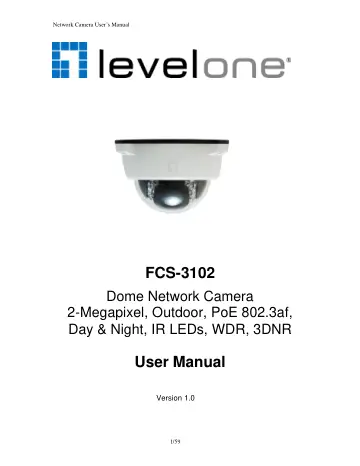
LevelOne Fixed Dome Network Camera (FCS-3102) user manual
- Type
- User manual
- Language
- English
- Pages
- 59
- Category
- Security cameras
- Models
- FCS-3102
Open PDFOpens the file on objects.icecat.biz.
Contents
- Overviewp. 3
FCS-3102 is a Dome network camera. Law in your country may prohibit the use of surveillance devices. The Network Camera is not only a high-performance…
- Connectionsp. 5
Hardware description Outer View Inner View
- Hardware descriptionp. 5
Outer View Inner View
- Hardware Installationp. 7
1. Attach the Network Camera with the included stand 2. Place the Camera fix it onto ceiling or wall Use screws to fix the Network Camera onto the ceiling or…
- Connect to the Network Camerap. 10
Install the IP Finder program When you installed your Network camera on your LAN environment, you may install “IP Finder” to discover Network camera’s IP…
- Install the IP Finder programp. 10
When you installed your Network camera on your LAN environment, you may install “IP Finder” to discover Network camera’s IP address. The Administrator must…
- Bonjour programp. 17
Safari browser supports Bonjour search program the will search for all family network devices on the same LAN.
- C2.mylevel1.com(Free DDNS service)p. 18
1. When you want to connect the network camera over Internet, you can use the service “C2.mylevel1.com”. The “ip-discovery.com” is a free DDNS server for this…
- Initial Access to the Network Camerap. 19
(1) For the initial access to the Network Camera in Windows, the web browser may prompt for permission to install a new plug-in for the Network Camera. This…
- Primary user’s capabilityp. 20
Main Screen with Camera View The main page has three parts: 1. Configuration functions: The camera can be configured using these user interfaces. 2. Connection…
- Main Screen with Camera Viewp. 20
The main page has three parts: 1. Configuration functions: The camera can be configured using these user interfaces. 2. Connection control buttons: These…
- Client Settingp. 23
1. “Intranet Protocol Options” Setting camera in intranet mode of protocol. “UDP” Select use UDP protocol connect camera. “TCP” Select use TCP protocol connect…
- Definitions in Configurationp. 25
Please note that only the Administrator can access the system configuration
- System parametersp. 25
1. “General Setting” (1) “Host name” The text displays the title on the top of the main page. (2) “LED indicator” Select turn on or turn off the led indicator.…
- Securityp. 27
setting The administrator account name is “root”, which is permanent and can not be deleted. If you want to add more accounts in the Manage User column, please…
- Networkp. 29
Camera User’s Manual 29/59 Network Any changes made on this page will restart the system in order to validate the changes. Make sure every field is entered…
- Access listp. 32
setting 1. How to control access permission by verifying the client PC’s IP address. General Settings. General Settings
- Audio and Video settingp. 35
- Video recordp. 39
Schedule mode (1) “Every day” Enable/Disable every day application. (2) “Week day” Enable/Disable week day application. (3)“Selected day” Enable/Disable…
- Streamp. 41
Audio codec setting (1)“Audio codec type” There are two choices of audio codec types available: ”AMR”、 “AAC” and ”G.711”. (2) “Bit rate” -- “AMR” The bit rates…
- Applicationp. 43
- Storagep. 46
Manage the storage device. Storage Status Here show the storage device information. NAS server setting (1) “NAS Host name” Choose and input the NAS Host name…
- Syslogp. 48
The Network camera supports log the system messages on remote server. The protocol is compliant to RFC 3164. If you have external Linux server with sys log…
- Status and Parametersp. 48
User can find a lot of information about the system such as “Upnp port forwarding”,
- Maintenancep. 50
1. “Reboot system” The “Reboot” button will reboot the Network Camera. It’s useful while the Network Camera got problem. 2. “Restore system” Click on “Restore”…
- Appendixp. 52
- A. Troubleshooting & Frequently Asked Questionsp. 52
- B. Technical specificationsp. 58