Loading manual…
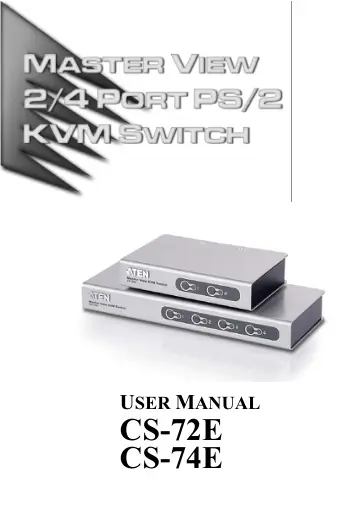
ATEN CS74EC user manual
- Type
- User manual
- Language
- English
- Pages
- 28
- Category
- Docks & adapters
- Models
- CS74E
Open PDFOpens the file on objects.icecat.biz.
Contents
- FCC Informationp. 2
This is an FCC Class A product. In a domestic environment this product may cause radio interference in which case the user may be required to take adequate…
- RoHSp. 2
This product is RoHS compliant.
- Online Registrationp. 3
Be sure to register your product at our online support center: Telephone Support For telephone support, call this number: User Notice All information…
- Safety Instructionsp. 4
Read all of these instructions. Save them for future reference. Follow all warnings and instructions marked on the device. Do not place the device on any…
- About this Manualp. 8
This User Manual is provided to help you get the most from your c/c system. It covers all aspects of installation, configuration and operation. An overview of…
- Conventionsp. 9
This manual uses the following conventions
- Product Informationp. 9
For information about all ATEN products and how they can help you connect without limits, visit ATEN on the Web or contact an ATEN Authorized Reseller. Visit…
- Chapter 1 Introductionp. 11
Chapter 1. Introduction
- Overviewp. 11
The CS-72E / CS-74E KVM (Keyboard, Video, Mouse), switch is a control unit that allows access to two (CS-72E) or four (CS-74E) computers from a single console…
- Featuresp. 12
Compact, modern, dual function, case – stands upright or lays flat for convenient placement Custom SPHD-15 connectors and custom KVM cables requires only 3…
- Requirementsp. 13
Console A VGA, SVGA, or Multisync monitor capable of the highest resolution that you will be using on any computer in the installation A PS/2 style…
- Chapter 2 Hardware Setupp. 15
Chapter 2. Hardware Setup
- CS-72E Front Viewp. 15
1. Port Selection Switches Press a switch to give the KVM focus to the computer attached to its corresponding port. Pressing Buttons 1 and 2 simultaneously…
- CS-72E Rear Viewp. 16
1. KVM Ports* The KVM cables that connect the unit to the keyboard, video, and mouse ports on the computers you are installing can plug into any available…
- CS-74E Front Viewp. 17
- CS-74E Rear Viewp. 18
- Installationp. 19
Refer to the installation diagrams on the next page (the numbers in the diagrams correspond to the steps indicated below) as you do the following: 1. Plug the…
- Chapter 3 Operationp. 21
Chapter 3. Operation
- Manual Port Selectionp. 21
With manual port selection you simply press the appropriate port selection switch on the unit's front panel to give the KVM focus to its corresponding port.…
- Hotkey Port Selectionp. 22
allows you to directly access a computer from the keyboard, instead of having to manually switch to it with the port selection switches. For both the CS-72E…
- Appendixp. 25
CS-74E Hotkey Summary Table The CS-74E hotkey functions are summarized in the following table: Hotkey Action [Scroll Lock] [Scroll Lock] [] Brings the KVM…
- CS-74E Hotkey Summary Tablep. 25
The CS-74E hotkey functions are summarized in the following table: Hotkey Action [Scroll Lock] [Scroll Lock] [] Brings the KVM focus from the port that…
- Specificationsp. 26
- Troubleshootingp. 27
1. This unit is designed to work with PS/2 keyboards and mice. XT (84 key) and AT keyboards will not work. Serial mice will not work. 2. Some Notebooks…
- LED Displayp. 28
The information provided by the front panel LED activity is explained in the following table
- Limited Warrantyp. 28
ATEN warrants its hardware in the country of purchase against flaws in materials and workmanship for a Warranty Period of two [2] years (warranty period may…