Loading manual…
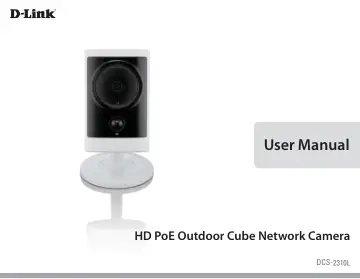
D-Link DCS-2310L user manual
- Type
- User manual
- Language
- English
- Pages
- 68
- Category
- Security cameras
- Models
- DCS-2310L
Open PDFOpens the file on objects.icecat.biz.
Contents
- Introductionp. 6
Congratulations on your purchase of the DCS-2310L HD PoE Outdoor Cube Network Camera. The DCS-2310L is a versatile and unique solution for your small oice or…
- System Requirementsp. 6
- Featuresp. 7
The DCS-2310L ofers Ethernet/Fast Ethernet connectivity, making the DCS-2310L easy to integrate into your existing network environment. The DCS-2310L works…
- Hardware Overviewp. 8
Camera Lens Records video of the surrounding area 2 ICR Sensor The IR-Cut Removable sensor measures the lighting conditions and switches between color and…
- Removing the Top Panelp. 11
Step 1: Place the camera face down on a non-slip lat surface. Step 2: Carefully pry out the two protective rubber screw coverings using a thin lat blade. Step…
- Removing the Bottom Panelp. 15
- Using the Reset Buttonp. 15
Step 1: Follow the steps outlined in "Removing the Bottom Panel" on page 15 Step 2: Using a paperclip or similar tool, press and hold the Reset Button for 10…
- Installationp. 17
If you have a mydlink-enabled Cloud Router, you can take advantage of Zero Coniguration. Zero Coniguration automatically conigures your camera's settings for…
- Zero Configuration Setupp. 17
- Camera Installation Wizardp. 20
Windows Users Note: If the autorun program does not open, go to My Computer, browse to your CD drive, and double-click on the autorun.exe ile.
- Manual Hardware Installationp. 22
If you wish to set up your camera without using the Camera Setup Wizard, please follow these steps. Note: In order to use the mydlink features of this product…
- SD Memory Card Installationp. 23
The SD memory card slot is housed behind the lower protective panel on the rear of the device. See. "Rear: Internal" on page 10 Step 1: Place the camera face…
- mydlinkp. 24
After registering your DCS-2310L camera with a mydlink account in the Camera Installation Wizard. You will be able to remotely access your camera from the…
- Configurationp. 25
D-Link DCS-2310L User Manual Section 4: Coniguration Coniguration Using the Coniguration Interface After completing the Camera Installation Wizard, you are…
- Using the Configuration Interfacep. 25
- Live Videop. 26
This section shows your camera’s live video. You may select any of the available icons listed below to operate the camera. You may also select your language…
- Setupp. 28
Wizard To conigure your Network Camera, click Internet Connection Setup Wizard. Alternatively, you may click Manual Internet Connection Setup to manually…
- Advancedp. 57
D-Link DCS-2310L User Manual Section 4: Coniguration Here you can conigure the ICR and IR settings. An IR(Infrared) Cut-Removable(ICR) ilter can be disengaged…
- Maintenancep. 60
Device Management You may modify the name and administrator’s password of your camera, as well as add and manage the user accounts for accessing the camera.…
- Statusp. 63
Device Info This page displays detailed information about your device and network connection.
- Device Infop. 63
This page displays detailed information about your device and network connection.